

Create and Manage Multi-Cluster Views using LogScale UI
Creating a Multi-Cluster View in the LogScale UI requires multiple steps:
Obtain a Repository API Token for each repository that will be part of the multi-cluster view. This provides the required API access to each remote repository.
Create a multi-cluster view, configured with the URL and repository API token.
Create an API token for an existing repository
Creating a Multi-Cluster View requires a repository token for each remote repository.
To obtain a Repository token:
Open the remote cluster where the repository is located
Select the repository that will be part of multi-cluster view. Select
Settingsto open the repository page.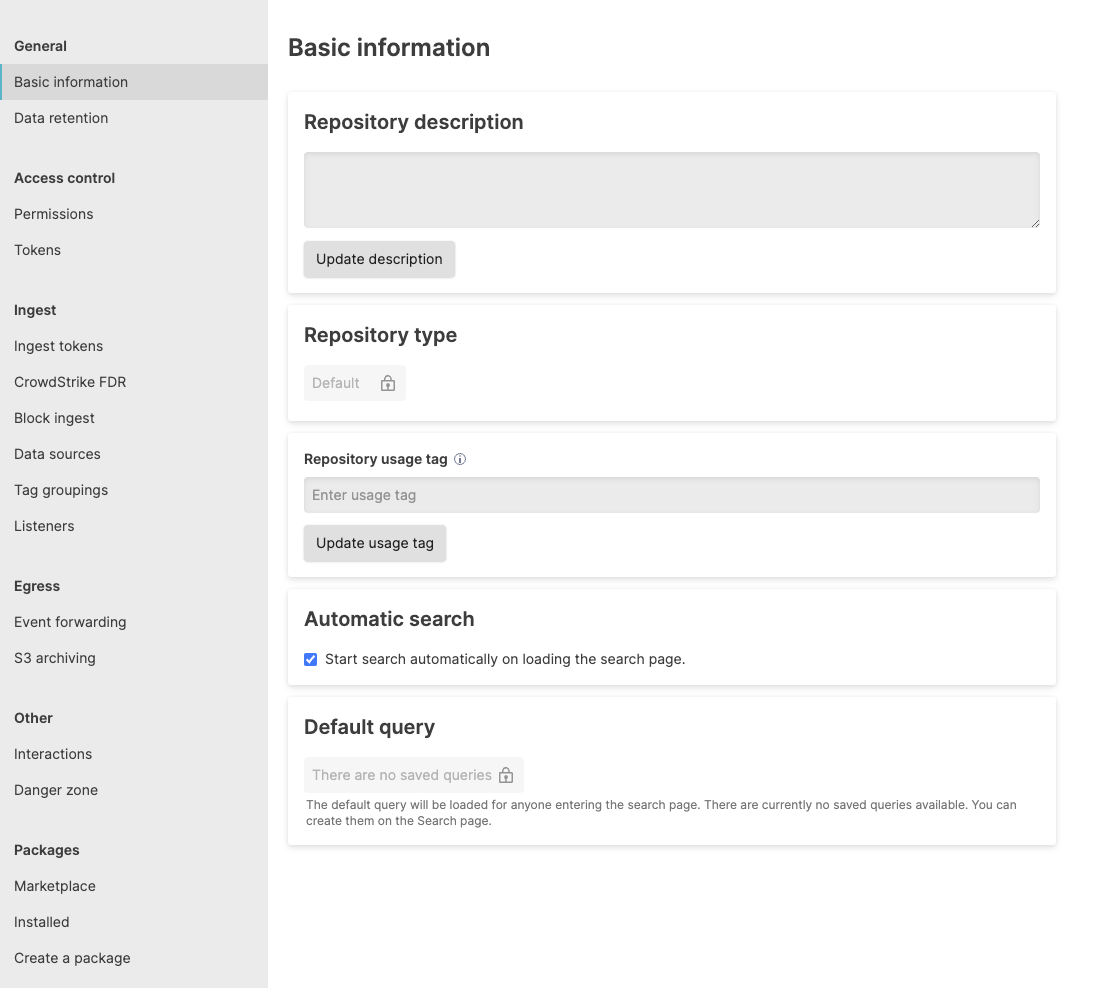
Select from the sidebar. Select to create a new repository token.
Select the
Data read accesspermission from the list. Give the token a name, and then select .This generates a random string. Copy this string for use in the multi-cluster view configuration.
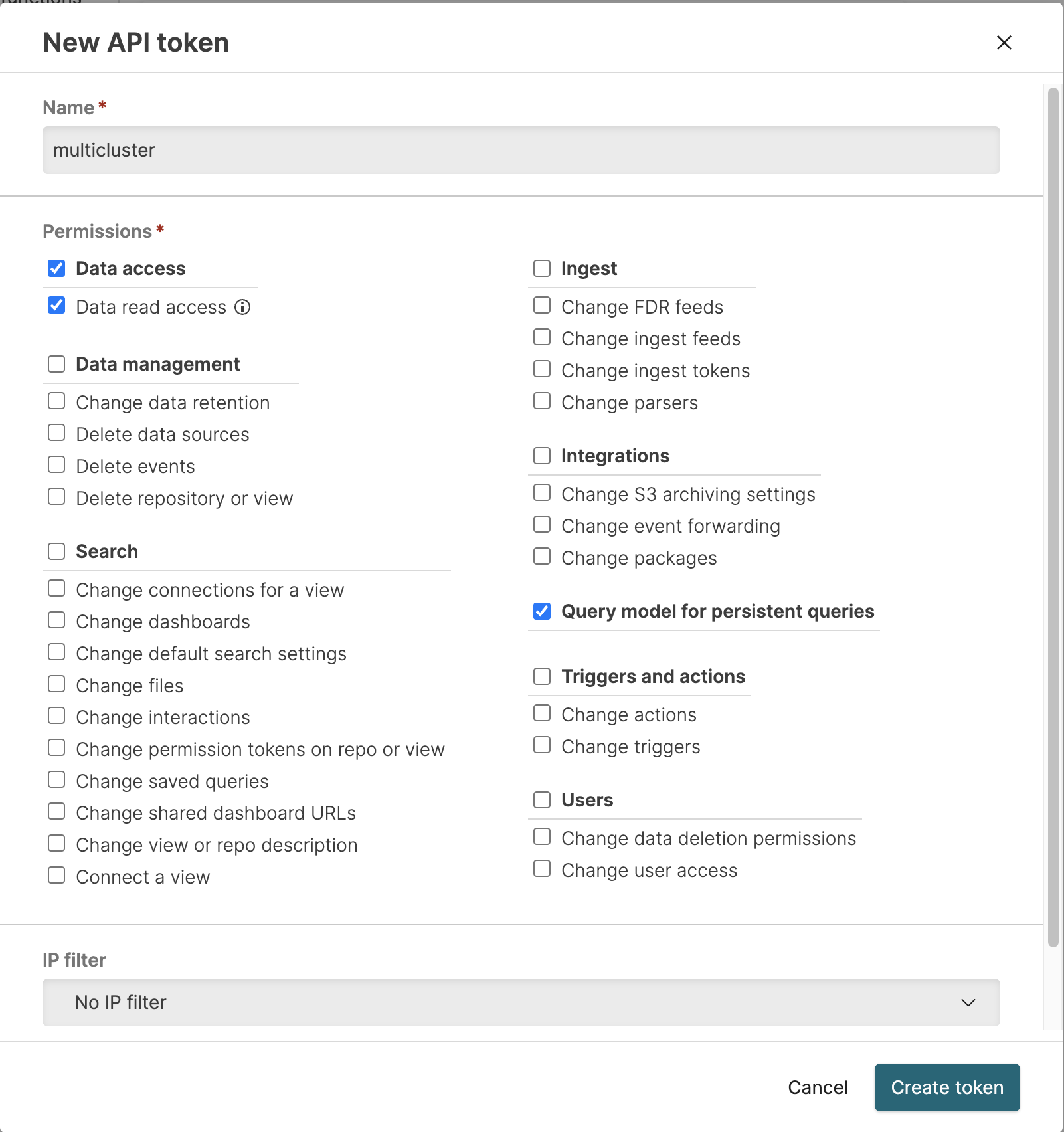
You can apply an IP filter to the token for additional security. This limits the token to a single IP address. See IP Filters.
Important
The repository token string will not be shown again, and cannot be recovered. Make sure to copy the token before closing the prompt.
The process can be repeated on each cluster and repository that will be part of the multi-cluster view.
For more information on creating and using Repository API tokens, see Repository and View API Tokens.
Create the multi-cluster view
The Multi-Cluster View connects remote repositories and one local repository into a single view. Search across all repositories using this view.
Before creating your Multi-Cluster View, ensure you have a Repository API Token for each remote repository.
To create a Multi-Cluster View:
Go to the
Repositories and Viewspage. Select .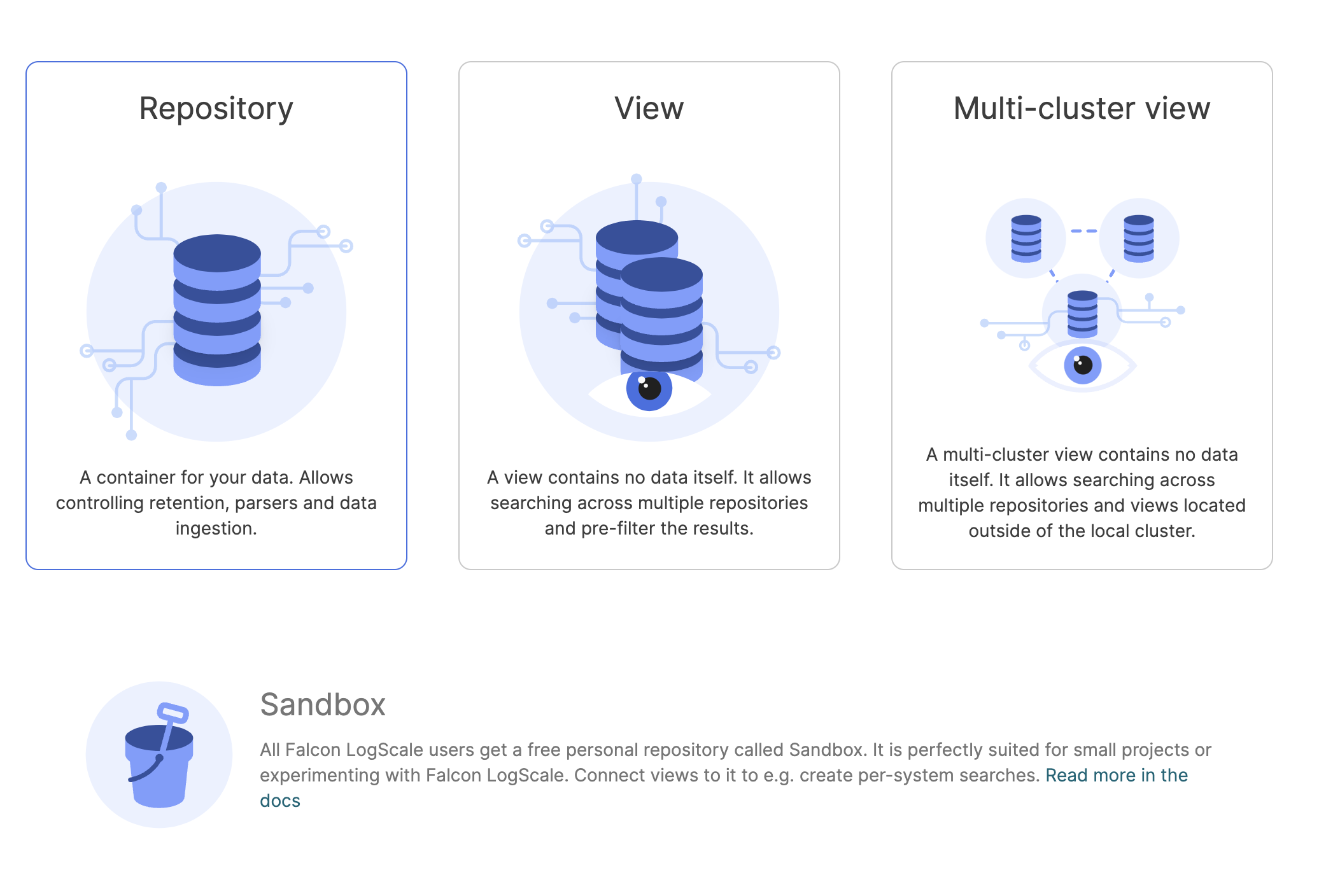
Select the card. The
New
          multi-cluster view
page will be displayed.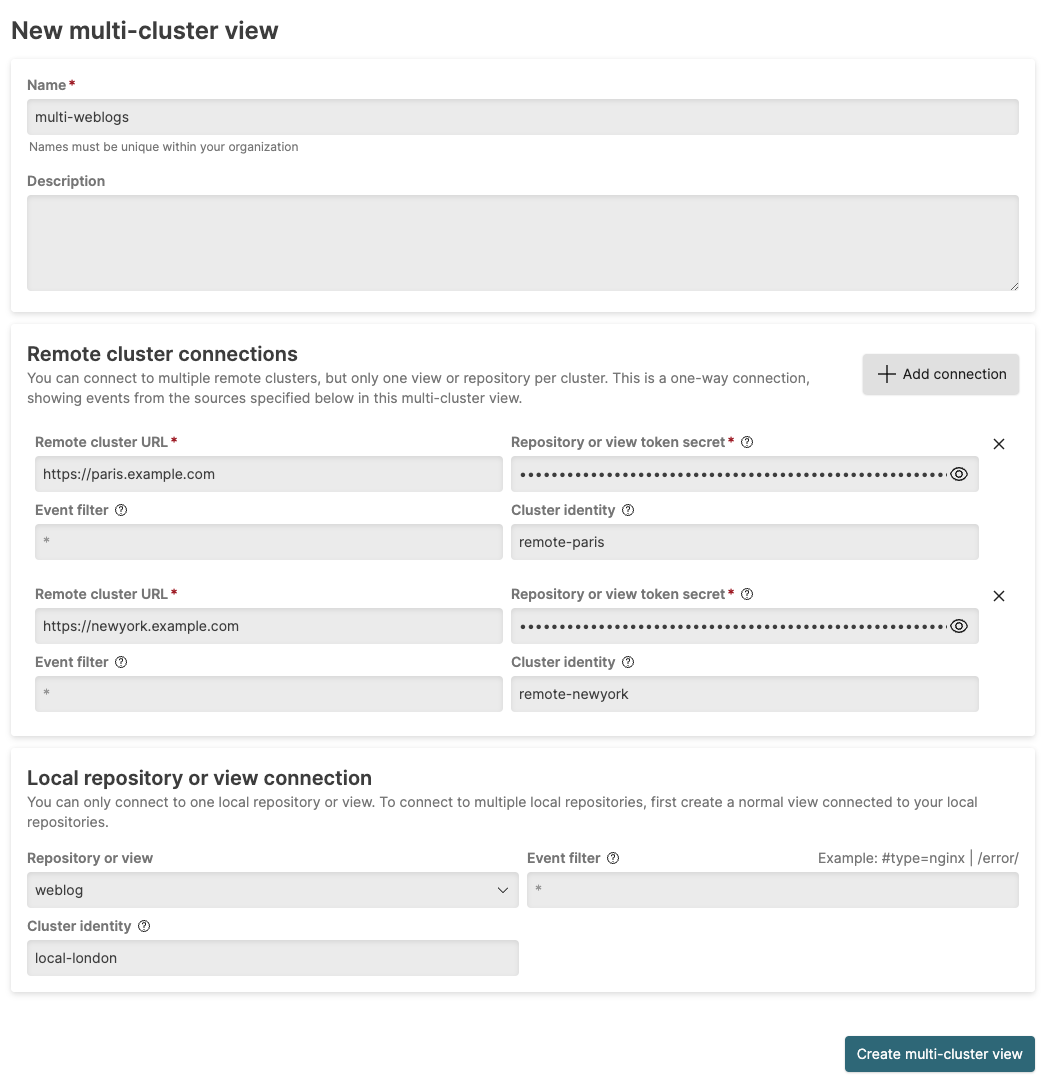
The following information can be provided:
Name (Required)
The name of the Multi-Cluster View
Description
A description of the view.
Event filter
An implied filter for events from the repository.
Cluster identity tag
The name or identifier for the remote cluster. When set, adds a #clusteridentity field to events from this connection. This enables filtering or identification of individual event sources.
Remote cluster connections provide information about each remote cluster. Configure the view with the repository or view API token, which automatically identifies the repository or view:
Remote cluster URL (Required)
The URL of the remote cluster, for example,
https://remote.example.comRepository or view token secret (Required)
The Repository API token string created (see Create an API token for an existing repository).
Event filter
An optional event filter that will filter the events during any multi-cluster search request.
Cluster identity
The name or identifier for the remote cluster. When set, adds a #clusteridentity field to events from this connection. This enables filtering or identification of individual event sources.
To add further connections, select and provide the same information for each new repository.
To delete a connection, select for the connection.
An optional local repository or view can be added to the multi-cluster view. To configure:
Select the Repository or view from the pop-up menu.
Add an optional Event filter to be used to filter events before they are included in the multi-cluster view.
Select to create the view.
Update existing multi-cluster view settings
Existing Multi-Cluster views can be viewed and updated by going to the
Settings of the Multi-Cluster view. This
will also show the current status of the multi-cluster view, and the
active connections to remote clusters.
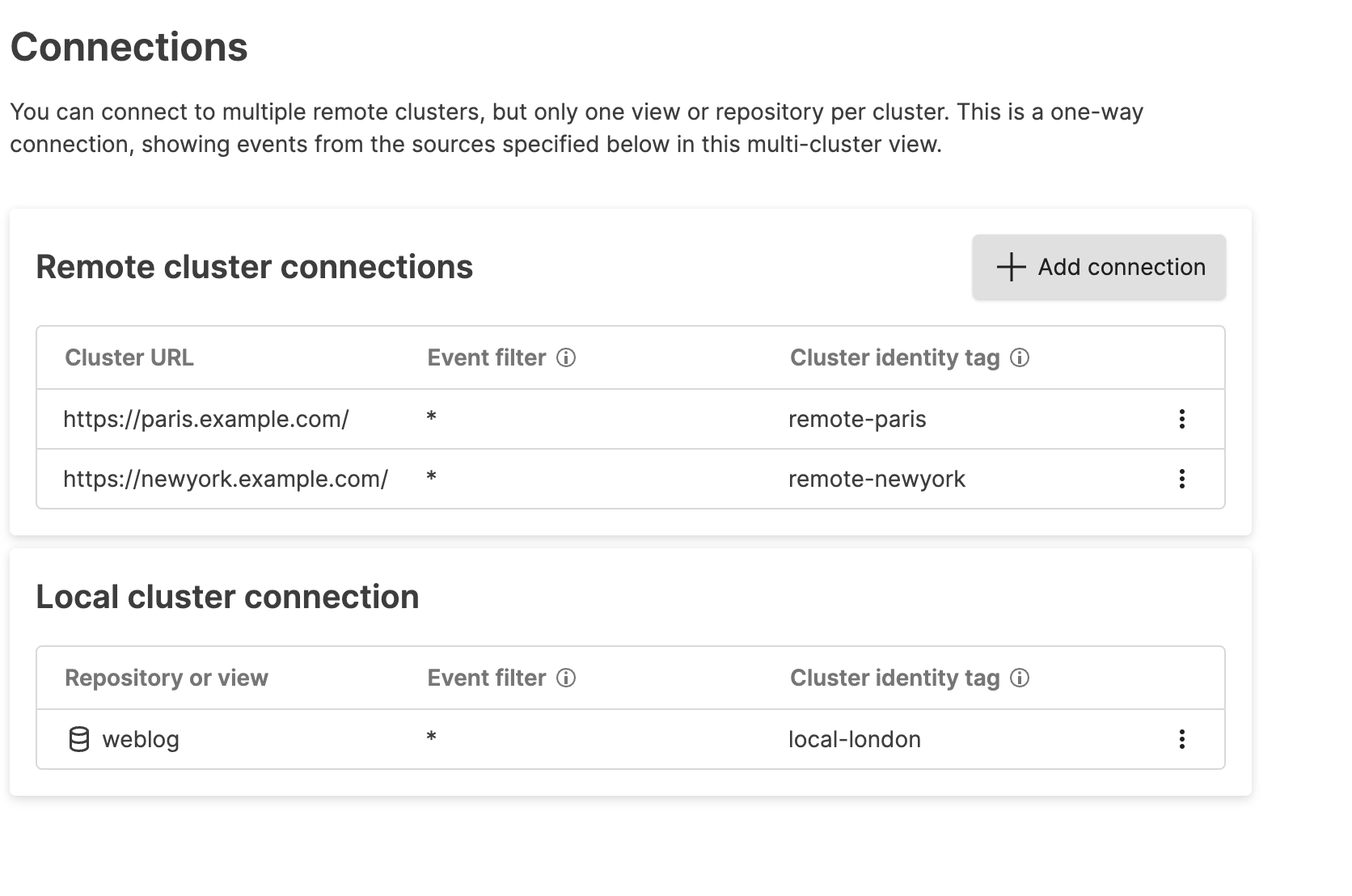 |
From here you can perform the following actions:
Add new connections by selecting . This opens the
Add new local
          repository or view connection
window.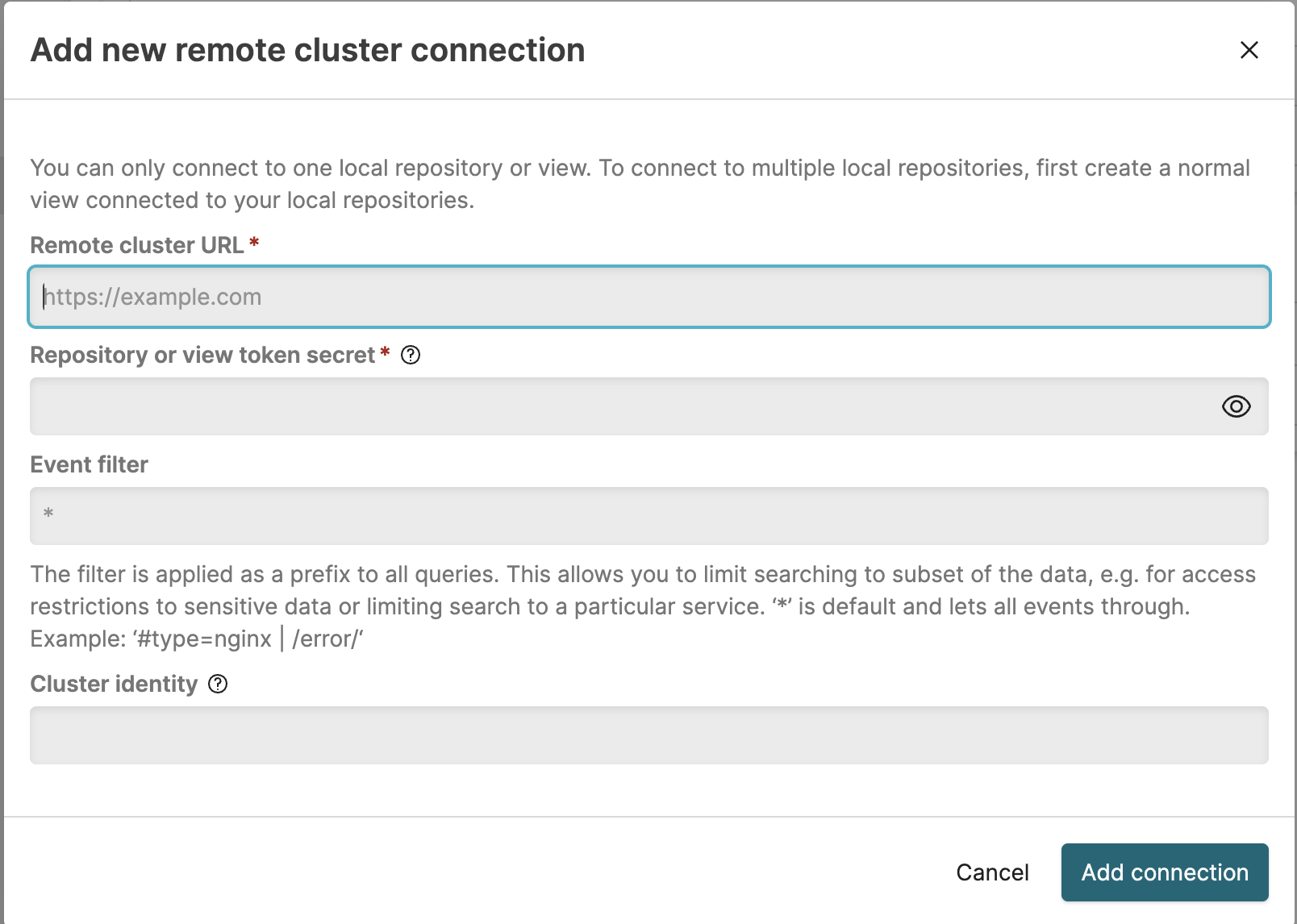
New connections require the cluster URL, Repository API token, and optional event filter.
To delete an existing remote repository, select ⋮ and select .
To add a connection to a local repository, select by the Local cluster connection. Configure the name and event filter for the local repository.