

Resources Interface
The Resources interface contains three
asset types: Files, Saved
Searches, and Interactions. This is a
centralized location for asset management that provides overview
information for large volumes of assets. It uses a consistent format
layout across all three asset types.
As an example, Repository resources depicts the Lookup files overview table:
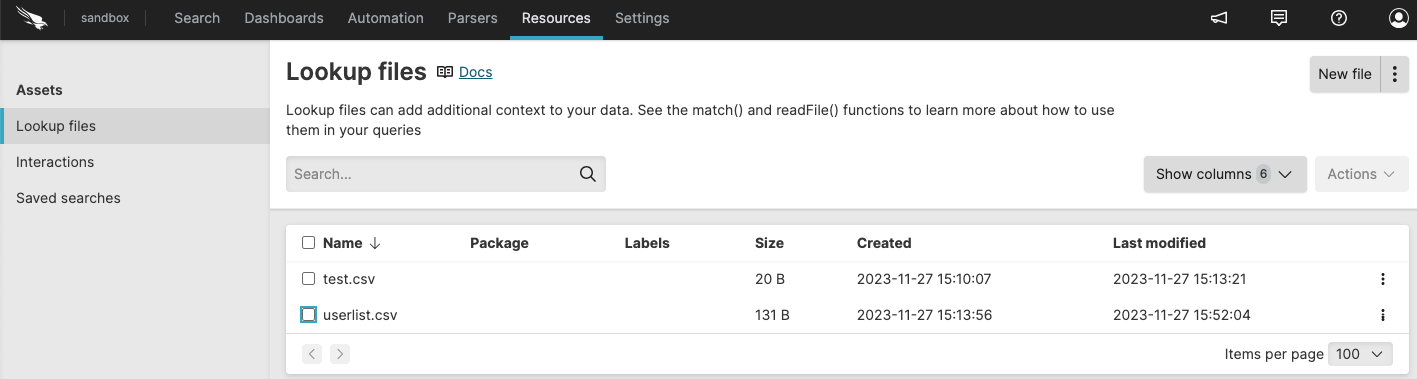 |
Figure 20. Repository resources
LogScale displays other asset types under different tabs, like for example the Automation Interface tab for triggers.
Asset type information under this tab are organized in tables, which show common and asset-specific web interface elements:
See Table Components for the common web interface elements that you can manage from the
Resourcestab.See Asset Type Interface Elements for the full list of asset-specific interface elements in the
Resourcestab.
Your assigned asset permissions control whether you can edit or delete asset entries. Assets appear in read-only mode when you lack edit permissions.
To view or modify asset properties:
Select an asset entry from the list to open the side panel.
In the side panel you can modify several properties, such as the asset name or query, for example.
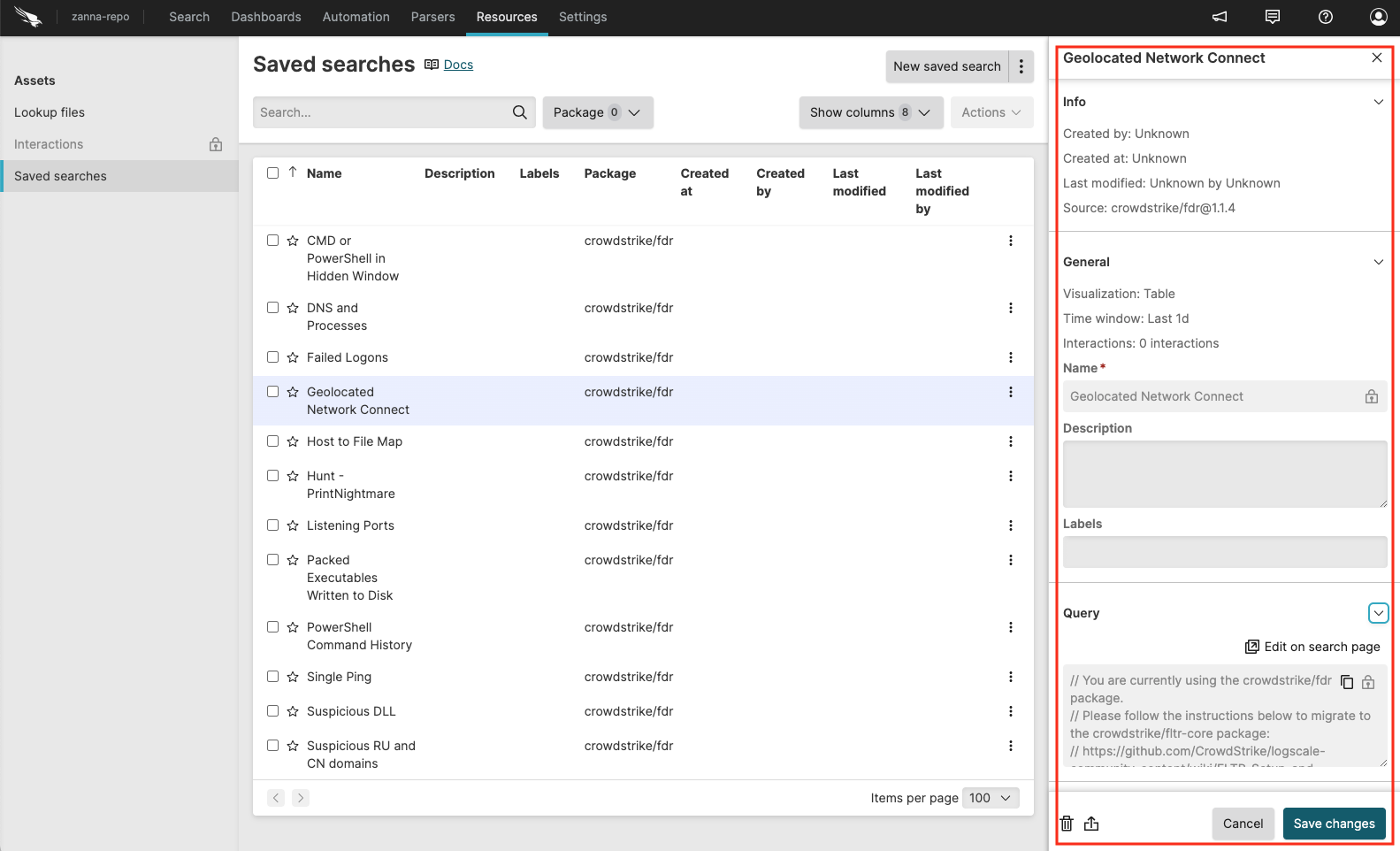 |
Figure 21. Edit saved search properties