

Manage IP Filters
The IP filter management interface allows you to view, search, create, and modify IP filter configurations. To access the management interface:
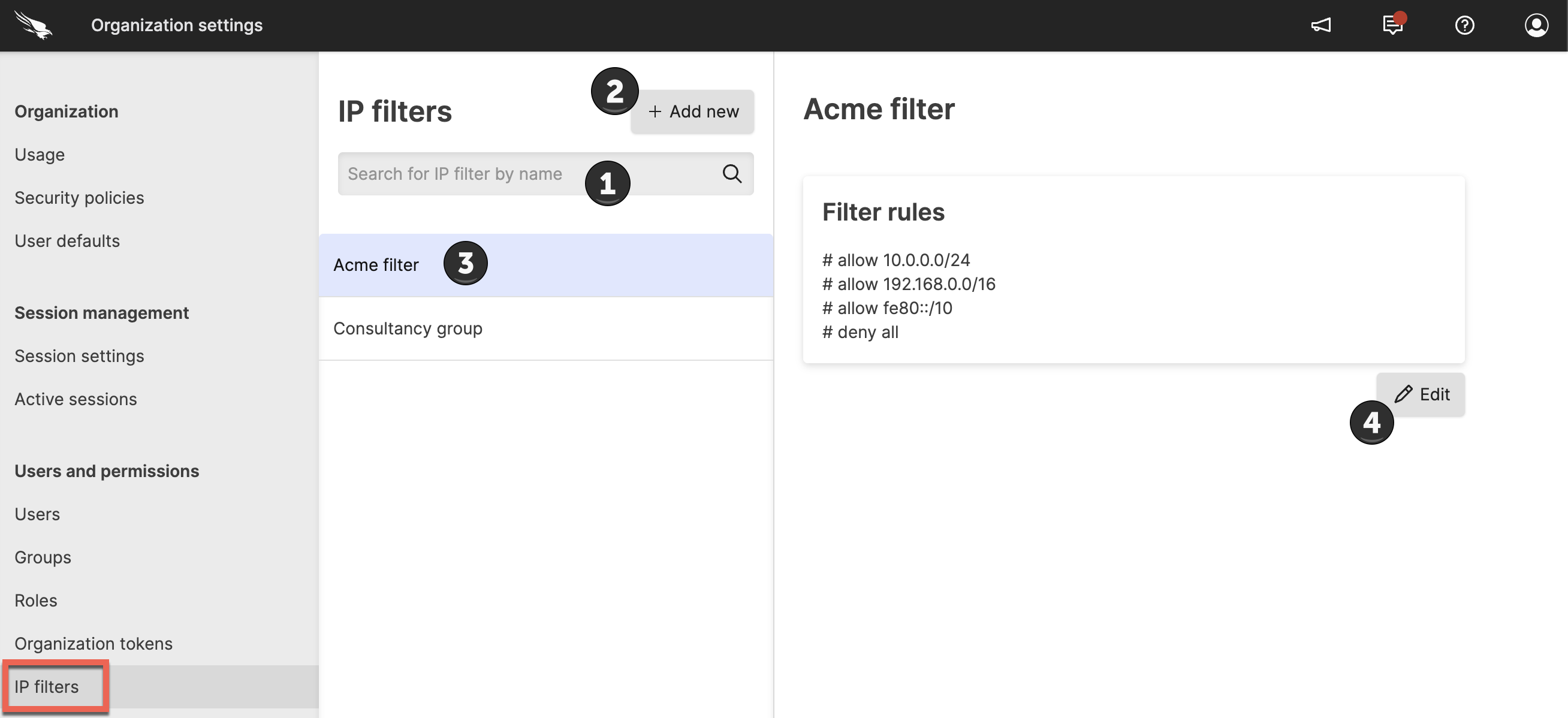 |
The IP filter management interface provides the following capabilities:
Search filters - Use the search functionality to locate existing filters by name or other criteria
Create new filters - Click the button to create a new IP filter. See Create an IP Filter for detailed instructions
View filter details - Click on any individual filter to examine its current configuration and rules
Edit existing filters - Click the button to modify an existing filter. See Edit an IP Filter for complete editing procedures