

Optimize Ingestion
To get the most out of your LogScale SaaS license, remove data you
will not need. This prevents it from counting toward your license usage.
This example filters data using the Removing Fields
functionality in Parser
settings.
Important
This can be used to filter information from ingested structured data. The remove fields feature cannot be used to modify the @rawstring, or fields created when parsing the @rawstring. For more information, see Removing Fields.
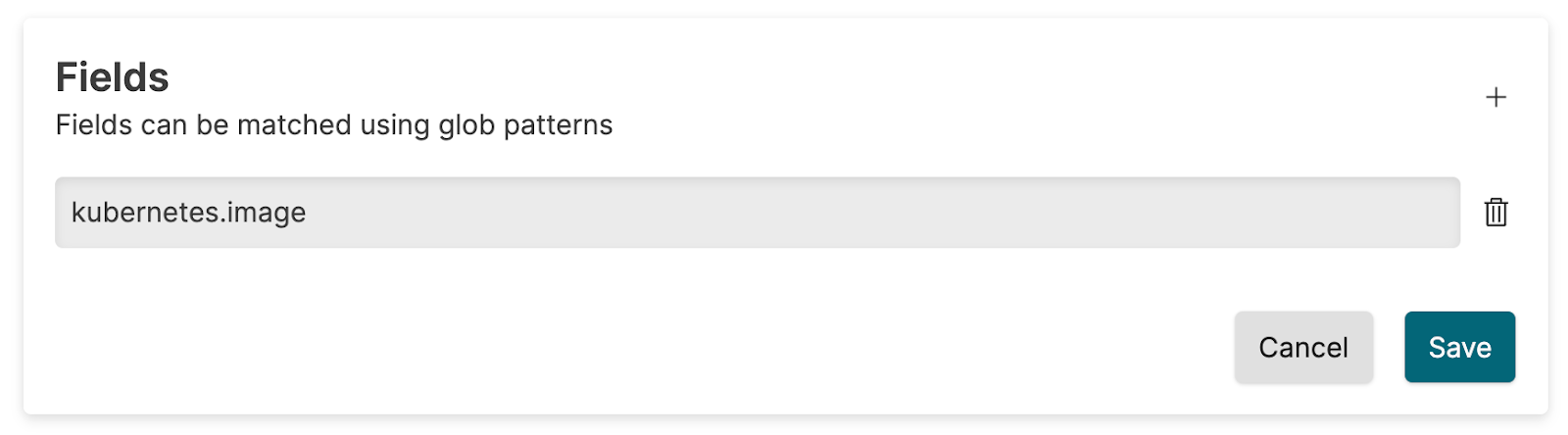 |
Figure 2. Usage Page
The remove fields feature with the name kubernetes.image from the incoming events. The usage calculation will then disregard these fields in the calculation.
Important
If you use the dropEvent() function during parsing
to optimize usage, the amount of data saved in LogScale will be
reduced.
However, LogScale includes the original data before dropping in the license calculation. Therefore, dropping events will not affect your license usage according to the ingestAfterFieldRemoval metric.
Unless your order form specifies that your volume is calculated as
raw (uncompressed) data ingested by the product
(segment_save metric), it
is recommended that you switch to either dropping events at source or
using the Removing Fields functionality.
Best Practices to Optimize Data Ingestion
You can reduce costs by preparing data before ingesting it into LogScale. Define the problem the data should solve. Then prepare the data to reduce the amount you need to ingest.
Here are some suggestions for preparing data:
Handle missing or inconsistent data, remove duplicates, and handle outliers. When you inspect your data, you might find entries with missing or inconsistent values. Clean the data by correcting inconsistencies or unrealistic values. Remove missing data that is not necessary.
Transform data as needed to enable easier analysis. You might need to create new variables that combine two values into one. You might want to make continuous variables more discrete. You can also convert categorical variables into dummy variables.
Reduce the amount of data to make it more manageable. You can ingest only events within a certain time range. You can also focus on specific categories within the dataset.
Combine data from different sources to resolve inconsistencies or missing data. This can help reduce costs. Instead of ingesting two datasets where data might overlap, ingest only one dataset.
Several tools exist to help you prepare and analyze data before ingest. Examples include Jupyter Notebook and pandas. Many of these tools are open-source. Keep this in mind depending on the sensitivity of your data.
Test and sample data are crucial when preparing data for ingestion into
a log management system. Sample data helps you ensure that parsing the
complete dataset will produce the expected events. It confirms that the
parser functions as expected. Use createEvents() to
generate temporary events for sample data. This function does NOT count
against your usage. For examples, see
createEvents().