

Repository and View API tokens security policy
The security policy for Repository and View API tokens controls whether
API tokens can be created for individual repositories or views on the
corresponding Settings
page for the repository or view.
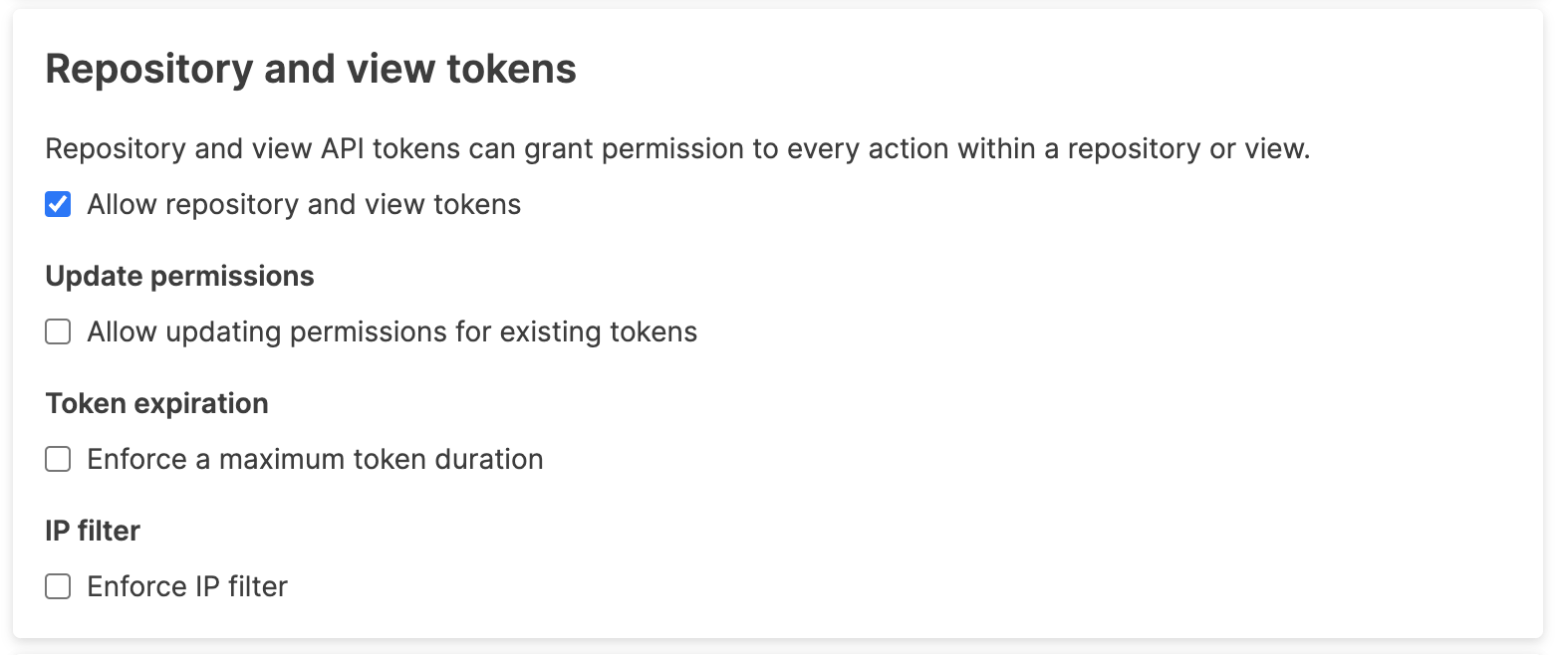 |
When enabled, users can go to the repository or view settings and create or update their API token. See Repository and View API Tokens for more information on creating a token.
When disabled, existing tokens will be deleted, and the option to create this type of API token will no longer be available.
. If the checkbox is selected, existing tokens can be modified to change the permissions and abilities granted to the token. Changes made in this way are instant as soon as the permissions are updated.
If enabled, a maximum duration for an API token will be enforced at the point that tokens are created and it won't be possible to create API tokens with a duration longer than the configured token expiration. The expiration can be expressed in the number of days, hours or minutes. For information on the effect of changing this setting, see Behavior when changing token security policies.
When enabled, LogScale applies the selected IP filter to all requests made with this type of API token. The token will only work when the IP filter has not blocked or restricted access. You can select a named IP filter from the list. For more information on creating named IP filters, see IP Filters.