

Organization API Tokens
Organization API Tokens provide granular access to manage an organization For more information about organization management, see Organization Admin. Permissions.
Access includes:
Fleet Management for use with the Falcon LogScale Collector
Managing users and permissions
Managing repositories and views
Managing organization wide settings
Changing alerts to run as other users
Monitoring usage
Blocking and monitoring queries
Important
Organization level tokens do not allow access to data.
Organization API tokens are administered in the page.
View Organization API Tokens
Organization API Tokens can be managed through the page. When managing tokens you can view the current list of tokens, create new tokens, and select existing tokens to get more detailed information.
To manage and view organization tokens:
Select .
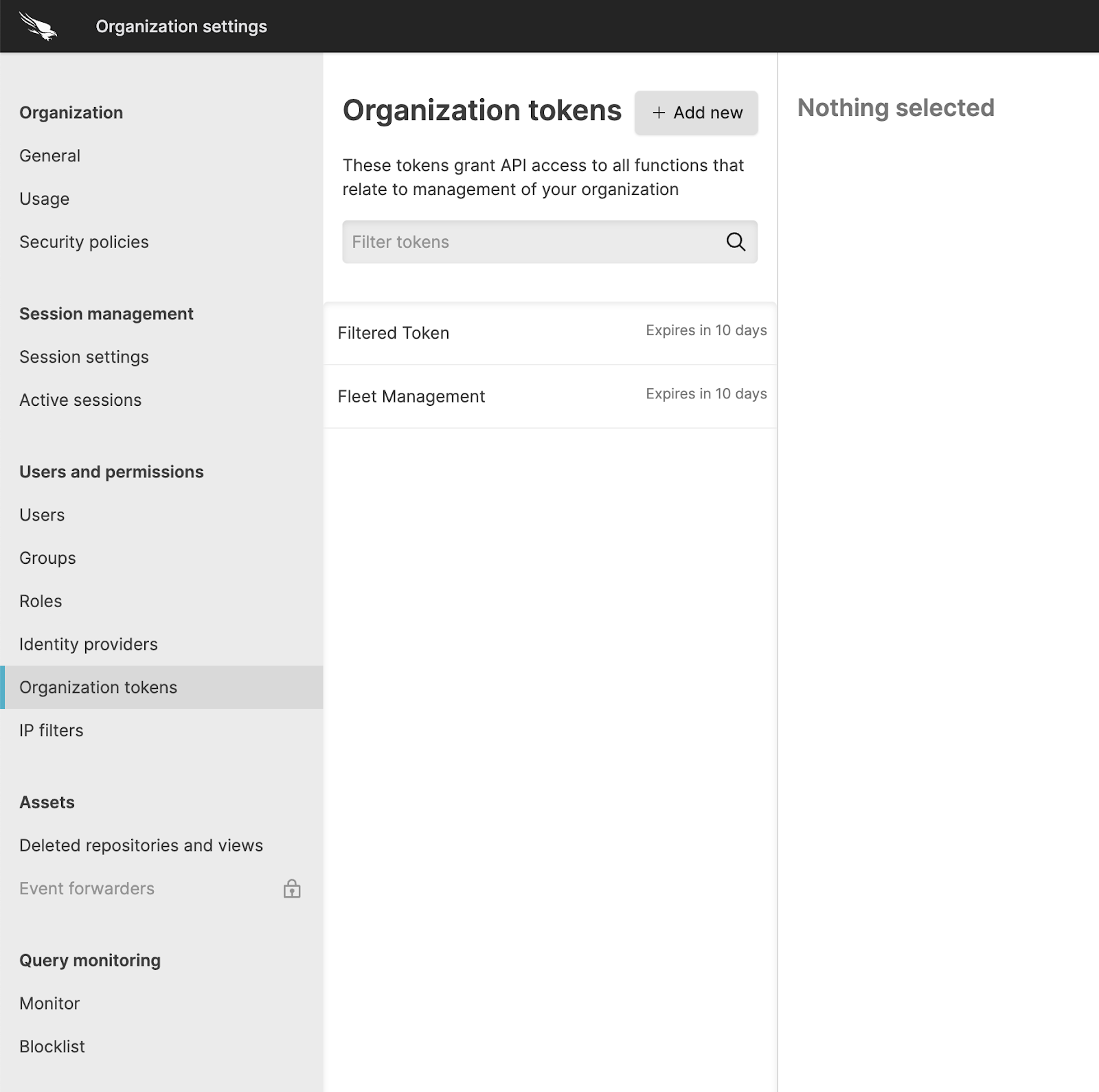
The list of tokens shows all currently active tokens and if configured, the expiry duration of the token. Expired tokens are shown in the list for up to 5 minutes after they have expired.
You can filter the list of tokens by using the Filter tokens search box to select the tokens by name.
Selecting a token will display the token dialog. For more information, see Manage Organization API Tokens.
To create a new token, click the button. For more information on creating new tokens, see Create Organization API Tokens.
Create Organization API Tokens
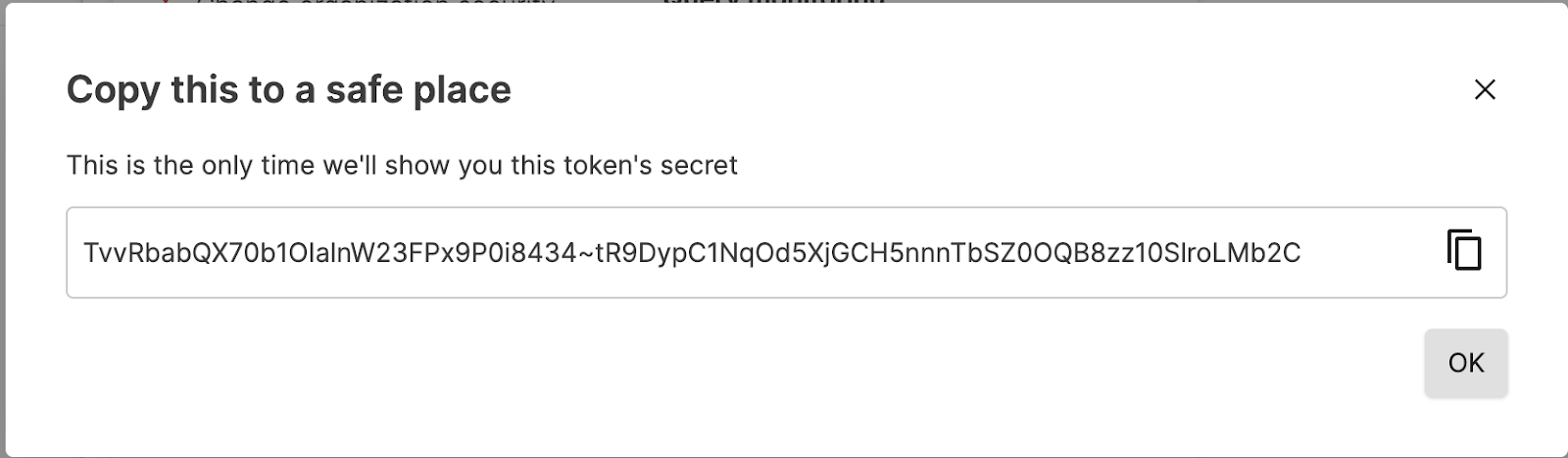
Creating a new Organization API token will generate a new token string. Once the API token has been created, the token string will be shared. This is the only time you can see the string on the screen.
Organization API tokens have the following parameters that will be unique to each API token created:
The permissions. For example, granting the specific permission to Block queries provides the ability to block a query.
Organization tokens can be given an expiration time expressed as the number of minutes, hours, or days from creation.
An IP filter can be applied to limit access to a specific IP address or network. For more information, see IP Filters.
The expiry and IP filter configuration can be enforced through a security policy. For more information about security policies, see Organization API tokens security policies.
To create a new Organization API token:
Click .
Give the token a name.
Select the permissions that you want to grant to the token. You can select as many permissions as required for the API token. For information on the permissions and what API endpoints they support, see Organization Admin. Permissions.
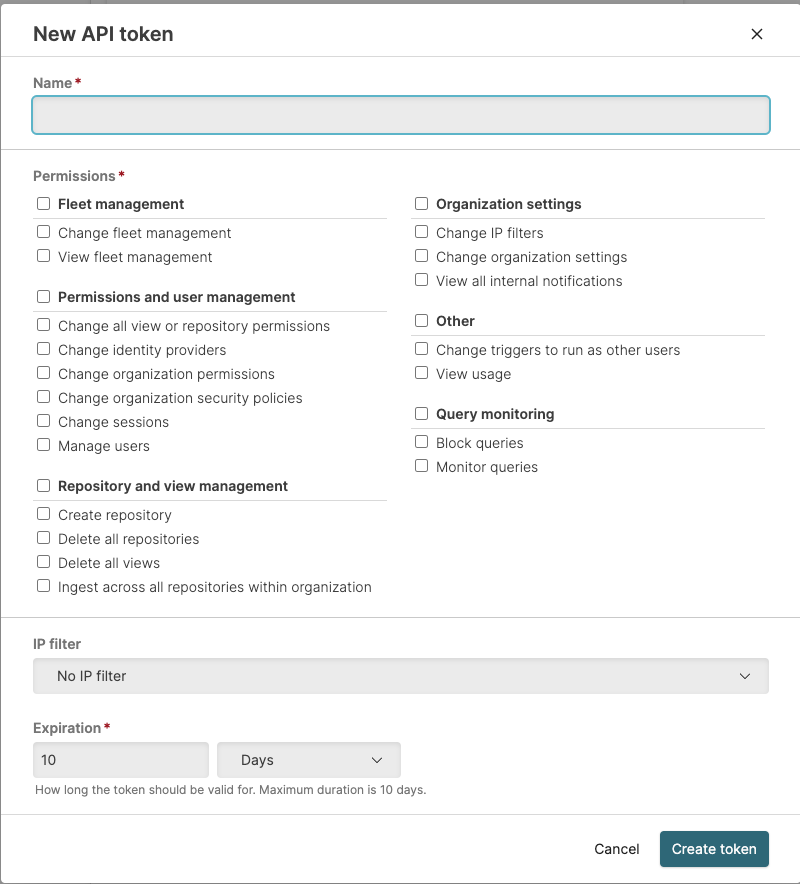
If the security policy allows for setting a custom IP filter, you can select the named IP filter from the popup. For more information on IP filtering, see IP Filters. For information on Organization API token security policies, see Organization API tokens security policies.
If the security policy allows, you can set an expiration for the API token, based on the number of minutes, hours or days until the API token expires. If the security policy does not specify an expiration, you can optionally create an API token without an expiry time.
Click to create the token. This will share the API token string and you can then copy the string to your clipboard. This is the only time the API token string will be shared; copy the token string and store it in a safe place.
Click .
Manage Organization API Tokens
Organization tokens may be modified depending on the settings within the Organization API tokens security policies.
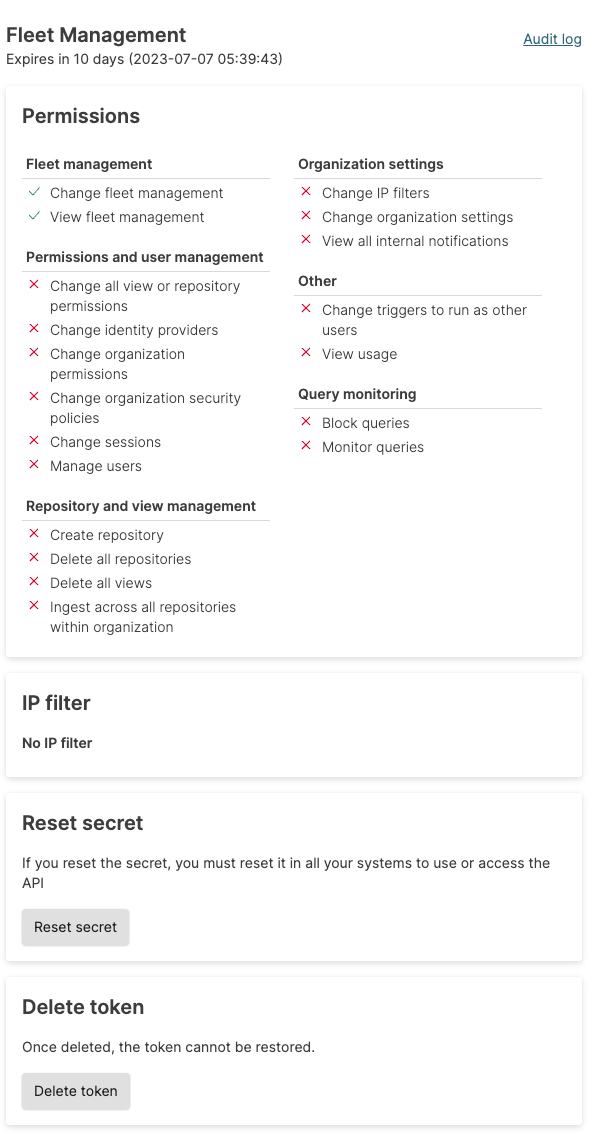
To view the details for an existing token, select the token from the list in the Manage Organization API Tokens interface. This shows a summary of the organization API token, expiry, permissions, and IP filter information:
Expiry information is shown first in the summary in both the duration and an explicit date and time when the token will expire. Expiry information cannot be changed.
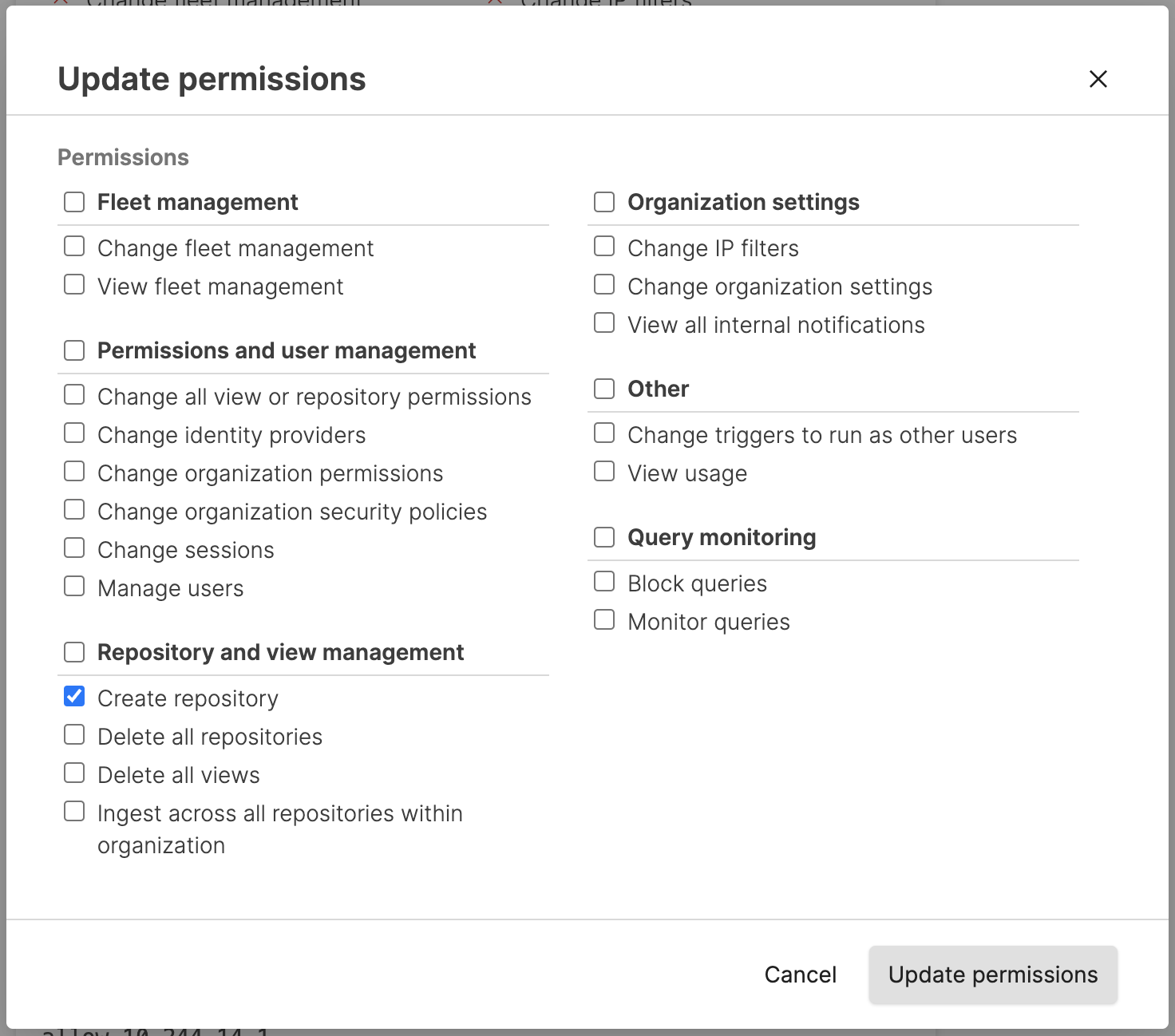
Permission information is shown with each permission and a corresponding green tick (enabled) and red cross (denied). Permission information for a token cannot be changed unless the Update permissions option is enabled within the Organization API tokens security policies.
 |
If editing the permissions is enabled, click the .
 |
To recreate the API token string, click . This regenerates the token string so that it can be copied. Resetting the token in this way immediately invalidates the previous token string. The new string will need to be used.
To delete the API token, click . You will be asked to confirm the action. Once deleted, the API token is no longer valid and all API operations with the deleted token will fail.