

Share Dashboards
Security Requirements and Controls
Change shared dashboard URLspermissionDashboard Security policysecurity policy
Dashboards can be shared using a unique URL. Dashboards shared in this way are read only and can be used to share the dashboard with others, or when using the dashboard as part of a wall monitor. A shared dashboard does not need to authenticate and does not rely on sessions as users do, so sharing should be done with care as everyone with the link will be able to see the dashboard (if an IP filter is set, users need to be within the IP range).
To share dashboards in this way:
Choose option from the dropdown menu, see Figure 167, “Dashboard operations”.
The Create new link dialog opens — enter a name in the Link Name field.
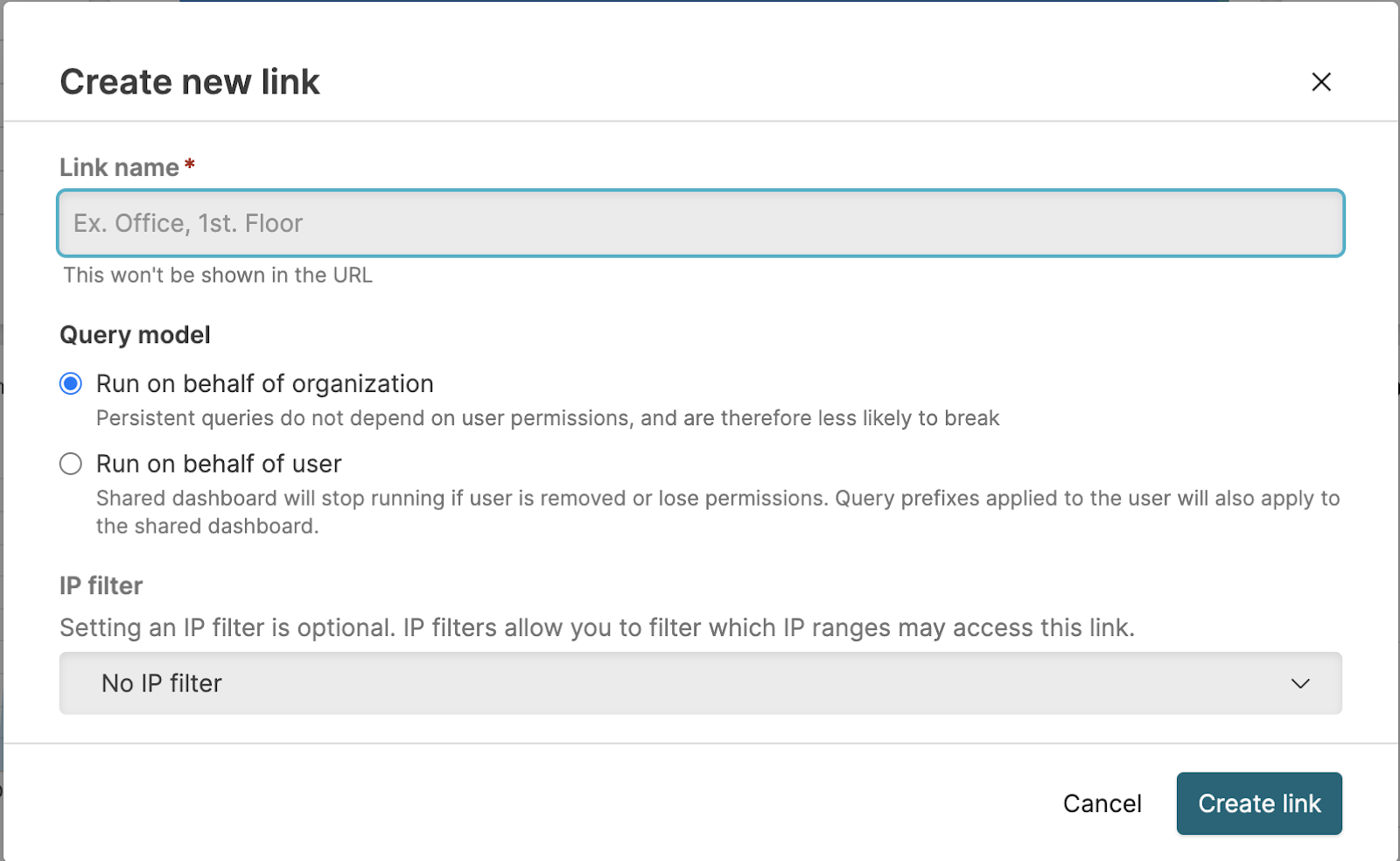
Queries run by the dashboard can either be executed on behalf of the organization or on behalf of the user who created the shared dashboard. For more information, see Organization-Owned Queries.
If the Dashboard security policies has not enforced an organization-wide IP filter, an optional IP filter can be selected. If the security policy enforces an IP filter, you will see the IP filter next to the Active dashboard URL. See IP Filters.
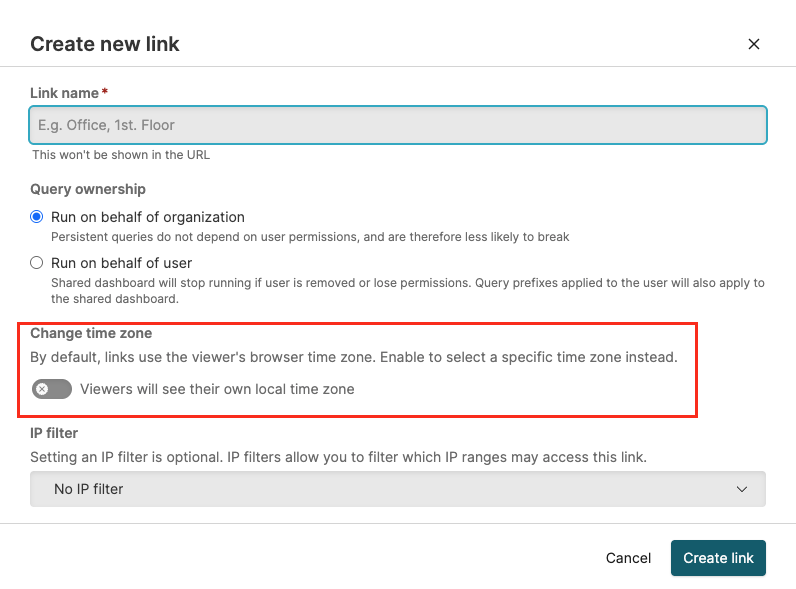
Optionally, change the default timezone for the shared dashboard. Recipients can view the dashboard in their local timezone, or toggle Change time zone to select a specific timezone. This provides flexibility for teams working across different time zones.
To get a list of dashboards through the GraphQL API, use the dashboardsPage() query. For shared dashboards, use the sharedDashboards() query.
Time Zone Options for Shared Dashboards
Security Requirements and Controls
Change shared dashboard URLspermission
When creating a shared dashboard link, you can set the time zone that viewers see with the Change time zone toggle:
When the toggle is ON, the shared link uses the time zone you specify in the Create new link dialog.
When the toggle is OFF, the time zone is based on the viewer's local time zone (browser time zone).
This flexibility allows recipients to view data in the context that makes most sense for them, whether analyzing events in the original time zone or correlating with their local time zone.
 |