

Create Persisted Aggregations
Create persisted aggregations to store pre-computed aggregation results that run on a schedule. You can create persisted aggregations from the overview page or save a query directly from the Search page.
Persisted aggregations run aggregation queries on a schedule and store the results for faster querying. The query must contain at least one aggregation function. For more information about persisted aggregations syntax, see Persisted Aggregations.
Create a persisted aggregation from the Search page
You can save an aggregation query as a persisted aggregation directly from the
Search interface.
Go to the tab.
Write and test your aggregation query in the Query Editor. The query must contain at least one aggregation function. Refer to Persisted Aggregations for the syntax requirements and the supported functions for creating persisted aggregations queries.
Click and select from the dropdown menu:
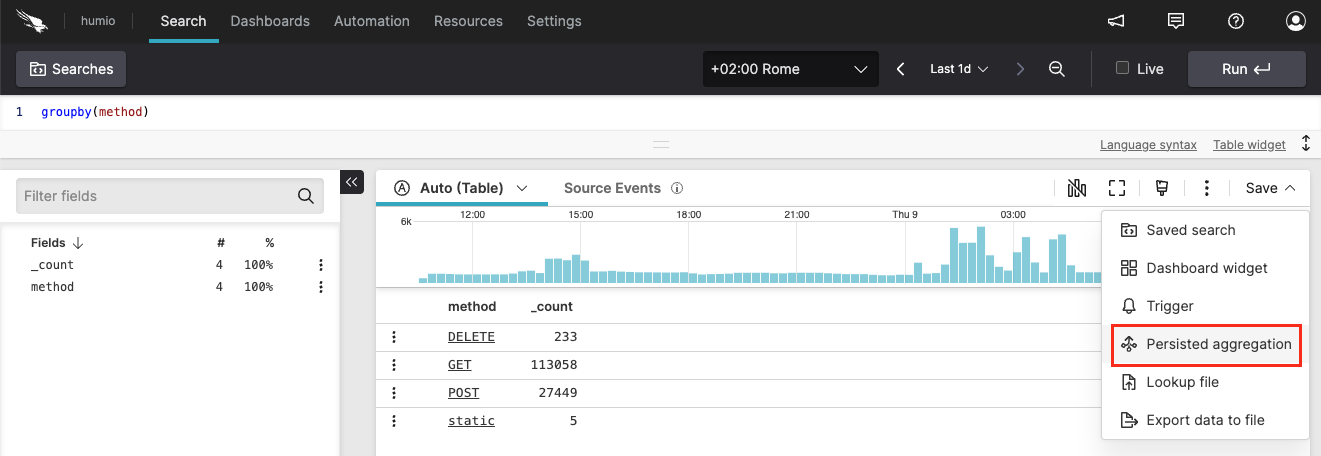
Figure 299. Save query as persisted aggregation
Configure the settings in the New persisted aggregation panel:
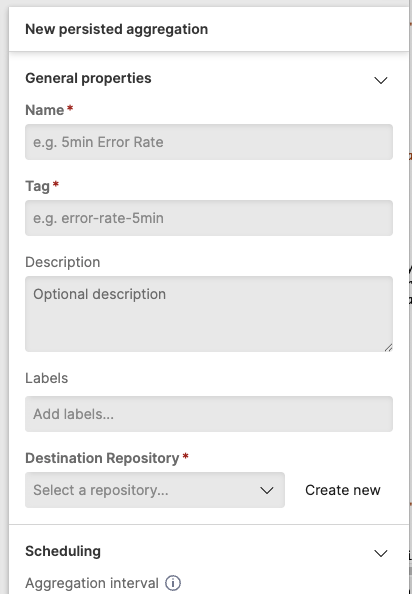
Figure 300. Persisted aggregation configuration panel
For details about the available configuration options, see Configure Persisted Aggregation Properties.
Click to complete creation. The aggregation begins running on its defined schedule.
Create a persisted aggregation from the overview page
Go to the Repository and Views page.
Select a Repository or View.
Go to and select on the side tree: the
Persisted aggregationsoverview page shows the list of the available persisted aggregations: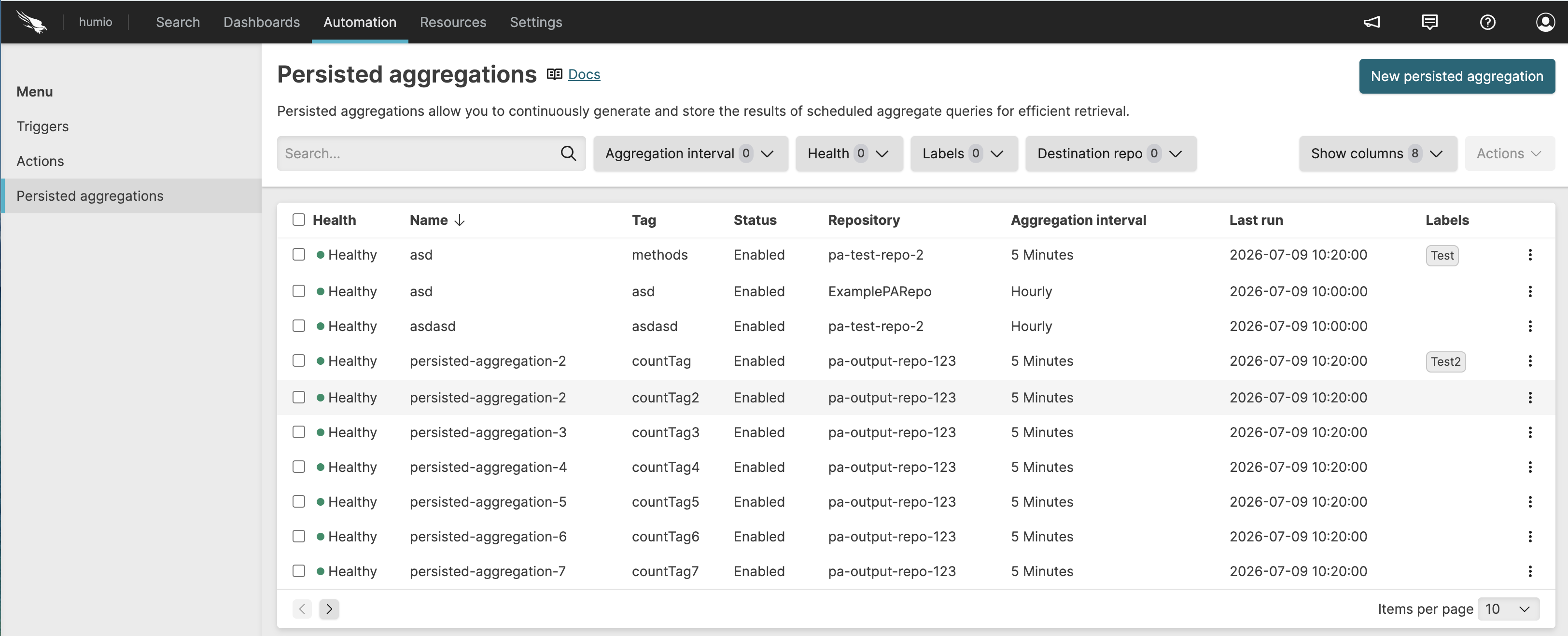
Figure 301. Persisted aggregations overview
Click . You are redirected to the Query Editor, where you can type your aggregation query:

Figure 302. Create persisted aggregation from table
Refer to Persisted Aggregations for the syntax requirements and the supported functions for creating persisted aggregations queries.
Configure the persisted aggregation settings in the panel (see Figure 300, “Persisted aggregation configuration panel”).
Click to create the persisted aggregation. The aggregation begins running on its defined schedule.
See Configure Persisted Aggregation Properties for details on the available configuration settings.