

Persisted Aggregation Repositories
Persisted aggregation repositories are special repositories dedicated to write Persisted aggregation results.
A persisted aggregation repository stores the pre-computed results from persisted aggregations. When you configure a persisted aggregation, you specify this repository as the output destination where the aggregated results are written. You can then retrieve these results using the readPersistedAggregation() function. See Persisted Aggregations for the complete workflow.
You can create a repository from the Repository and Views tab (as described below) or during the persisted aggregation creation process (see Configure Persisted Aggregation Properties).
To create a persisted aggregation repository:
Click the Repository and Views tab
Click and select the tab.
Fill in the form for creating a persisted aggregation repository. Only the following settings are configurable:
Name — The name of the repository (required).
Description — An optional description for the repository.
Retention (in days) — Specify ingest, storage, and time limits for the repository. For more information, see Data Retention.
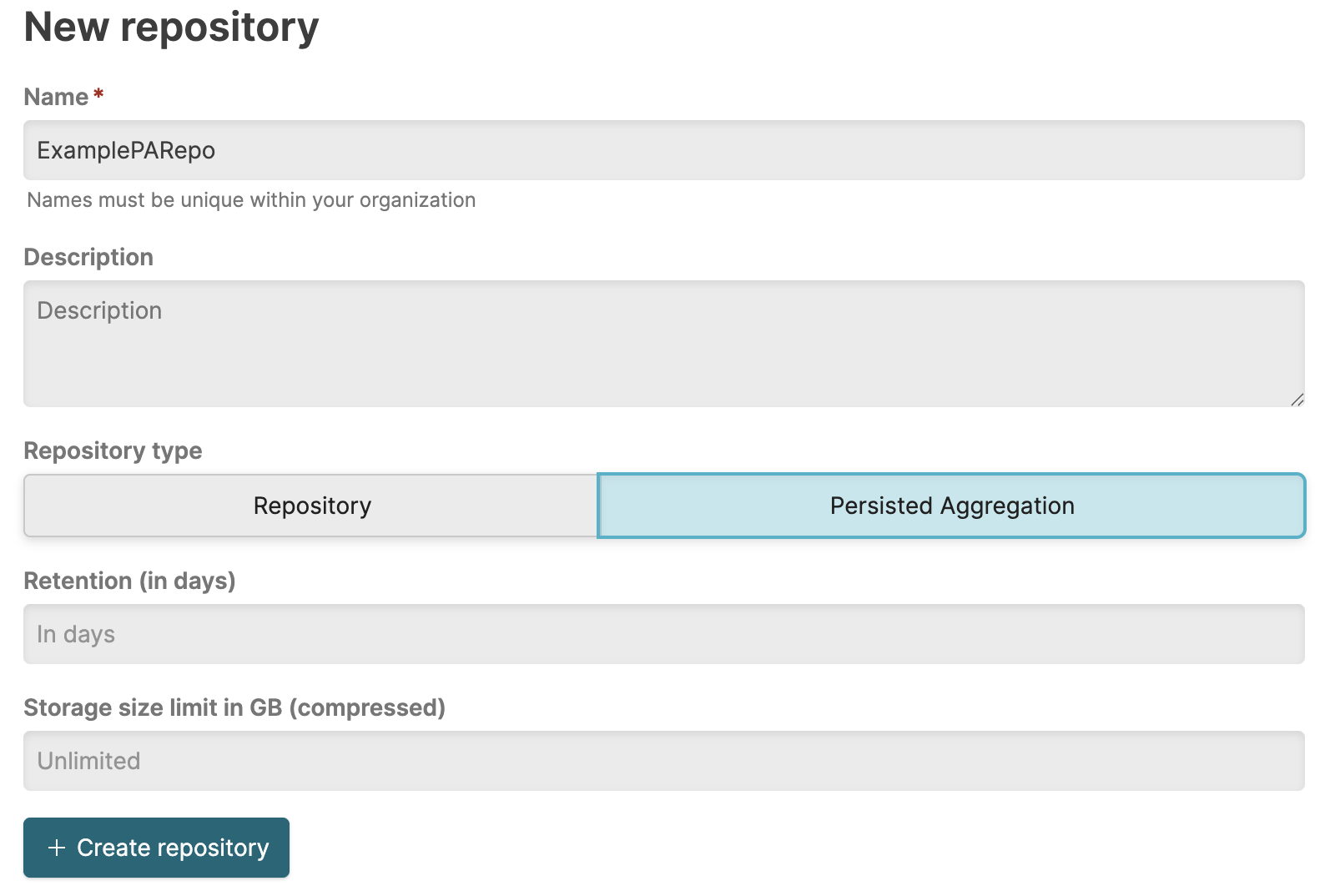
Figure 28. New Persisted Aggregation Repository Form
Persisted aggregation repositories differ from standard repositories in how data is written to them and in their configuration options. Only LogScale persisted aggregations can write data to these repositories. You cannot send log data directly to a persisted aggregation repository through the standard ingest methods. This means ingest tokens are not available for persisted aggregation repositories, and external writes are blocked at the API level.
Additionally, certain repository settings are fixed and cannot be changed, as shown in Figure 29, “Persisted Aggregation Repository Settings”. Repository type is set to Default, and Repository usage tag is locked. Repository usage tags allow you to group statistics of repositories for monitoring LogScale usage. Because persisted aggregation repositories store pre-computed metrics rather than raw log data, they are automatically categorized separately for usage monitoring purposes.
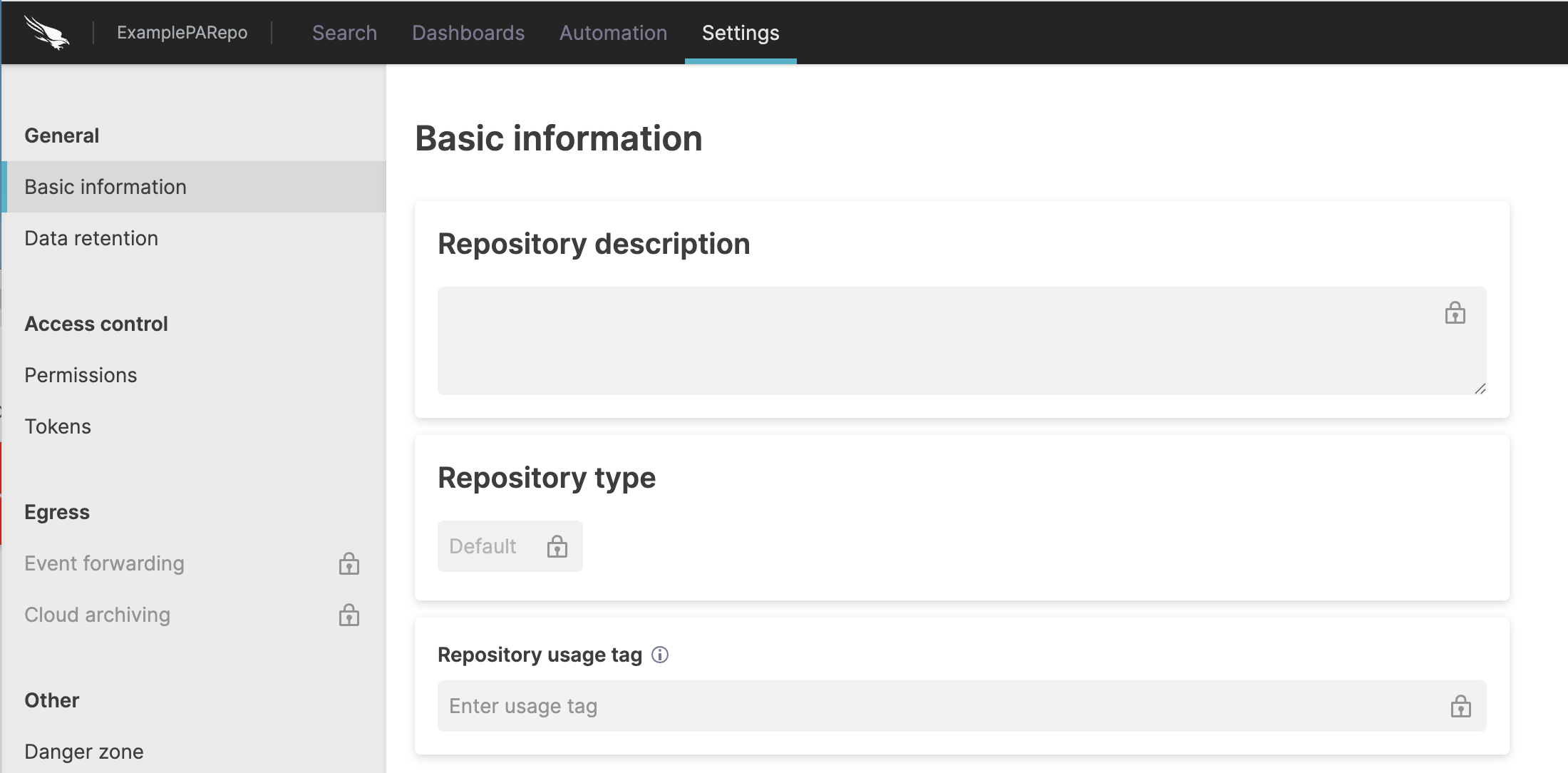 |
Figure 29. Persisted Aggregation Repository Settings
For information about creating and managing persisted aggregations, see Persisted Aggregation Management.