

Kafka Cluster
The page within shows information about the Kafka cluster and its configuration.
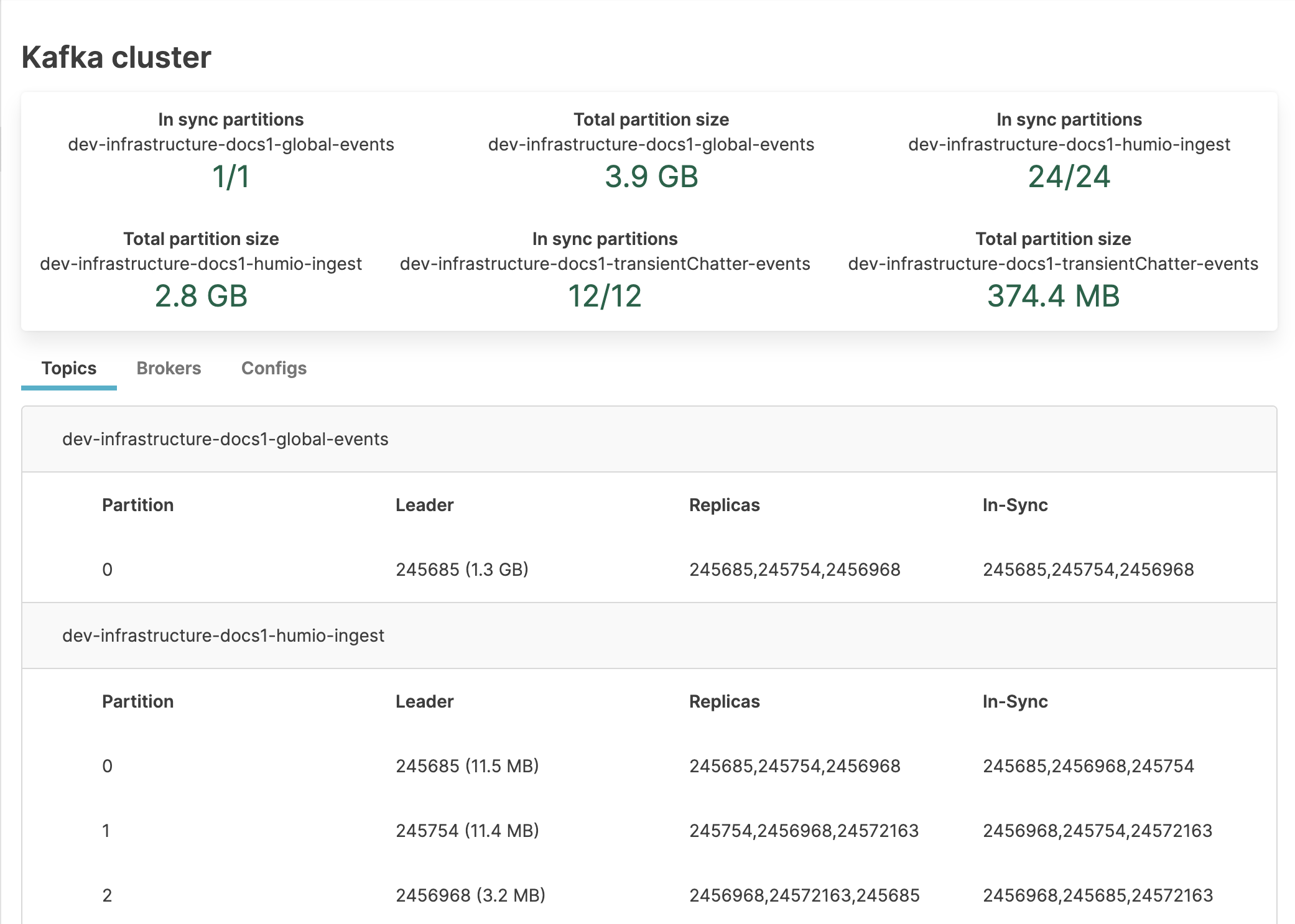 |
Figure 61. Kafka clusters
The upper section shows the In sync partitions and Total partition size for each Kafka topic.
The tabs show configuration information about the Topics, Brokers, and Configs.
Topics
The Topics tab shows each Kafka topic with configuration information.
For each topic, the following information appears:
| Column | Description |
|---|---|
| Partition | Number of the partition in the topic |
| Leader | Broker ID that handles read and write requests for the partition |
| Replicas | Broker IDs that store copies of the partition data |
| In-sync | Replicas that are fully synchronized with the leader |
Brokers
The Brokers tab shows Kafka broker configuration.
For each broker, the following information appears:
| Column | Description |
|---|---|
| Broker ID | Unique identifier for the broker |
| Host | Host IP address for that broker |
| Port | Port number for the host/broker combination |
| Rack | Rack where the host containing this broker is located |
| Error | Error message if any errors exist |
| Log directory | Path to log files for the broker |
| Total partition size | Partition size for the broker |
Configs
The Configs tab shows the configuration of each Kafka topic.
For each topic, the default configurations and specific configurations are listed. For information about these topic configurations, see Apache's Kafka Topic Configs documentation.