

Event Forwarders
Security Requirements and Controls
Change event forwardingpermission
Event Forwarders define the Kafka server and
topic that events are forwarded to. They are owned at the
organization level, and can be shared
across repositories in that organization. You can manage event
forwarders from the Event
Forwarder page, which allows you to create, edit and
delete Event Forwarders.
Note
You need root access to perform these actions. See Manage root access for more information.
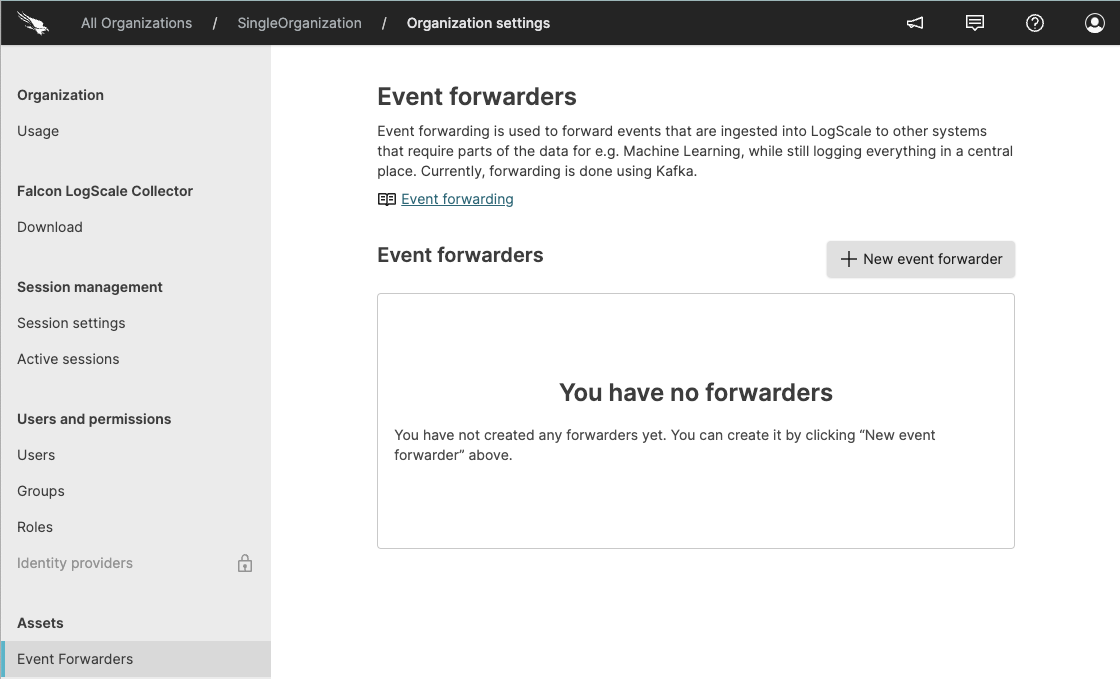 |
Figure 8. Event Forwarder UI
Configuring Event Forwarders
Click the (upper right corner) and select .
Under in the side menu, click .
On the
Event
              forwarders
page, click . A pop-up will open.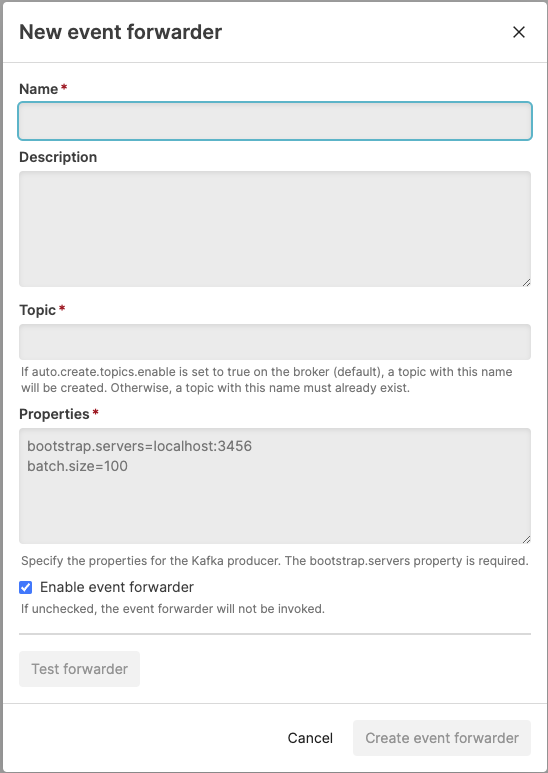
Figure 9. Event Forwarder Details
Specify the following fields:
Name — The name of your event forwarder.
Description (optional) — This is optional but allows you to specify a description of your event forwarder which may be useful when the event forwarder is shared.
Topic — Specify a name for a new topic and then this topic will be created on the Kafka cluster or provide the name of topic that has already been created on the Kafka cluster.
Properties — Specify the properties to configure the Kafka producer. You must specify at least the
bootstrap.serversproperty.
Optionally deselect the Enable event forwarder checkbox to create the forwarder in a disabled state.
Optionally click to test the configuration.
Click Create event forwarder to create the forwarder.
Kafka Configuration
To configure an Event Forwarder, you must specify the Kafka topic as
well as the properties for the
Kafka
producer. You must also specify at least the
bootstrap.servers property.
Below are some example properties:
bootstrap.servers=localhost:3456
batch.size=100
LogScale configures a Kafka producer based on these properties. You are responsible for setting up the Kafka server and creating the topic separately.
Warning
Kafka producer properties must be appropriately sized for the volume of data being forwarded. An incorrectly configured producer (for example, with inappropriate batch sizes or buffer settings) can cause excessive CPU consumption on the LogScale node, which can indirectly degrade LogScale performance including ingest throughput.
If you use the same Kafka server(s) for Event Forwarding as you use for LogScale's internal operations, ensure the cluster has sufficient resources to handle both workloads. Resource contention on a shared Kafka cluster can degrade LogScale performance.
Editing and Deleting Event Forwarders
You can edit and delete Event Forwarders from the Event Forwarders page.
Note
You cannot delete an Event Forwarder that has event forwarding rules associated to it. You must remove the forwarder from all associated rules before deletion. If you try to delete a forwarder with rules attached, you see an error message listing the rules that reference it.
Click the (upper right corner) and select .
Under in the side menu, click .
On the
Event
              forwarders
page, click the three dots next to theEvent Forwarderyou want to edit or delete, and click either or .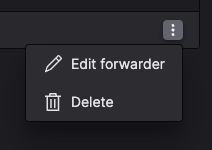
Figure 10. Edit/Delete Event Forwarder
If you are editing a forwarder, click to save the changes. If you are attempting to delete, you must confirm the operation in the pop-up.
Event Forwarder APIs
Event Forwarders can be managed via the GraphQL API. See GraphQL API for full reference.
You can use the following queries for event forwarders:
eventForwarders()
You can also use the following mutations:
testKafkaEventForwarder() tests that LogScale can connect to the configured event forwarder
Note
Root access is required to use these APIs, see Manage root access for more details.