

Event Forwarding Rules
Event Forwarding Rules define which events are forwarded from a repository to an Event Forwarder, and optionally how those events are transformed before forwarding.
Rules are configured per repository and linked to a previously created Event Forwarder.
You must have at least one Event Forwarder configured before you can create Event Forwarding Rules.
Note
Permission Required: You must have the Change event forwarding permission to configure Event Forwarding Rules.
How to create an Event Forwarding Rule
Click , under in the side menu click to see and manage the event forwarding rules that apply to the repository.
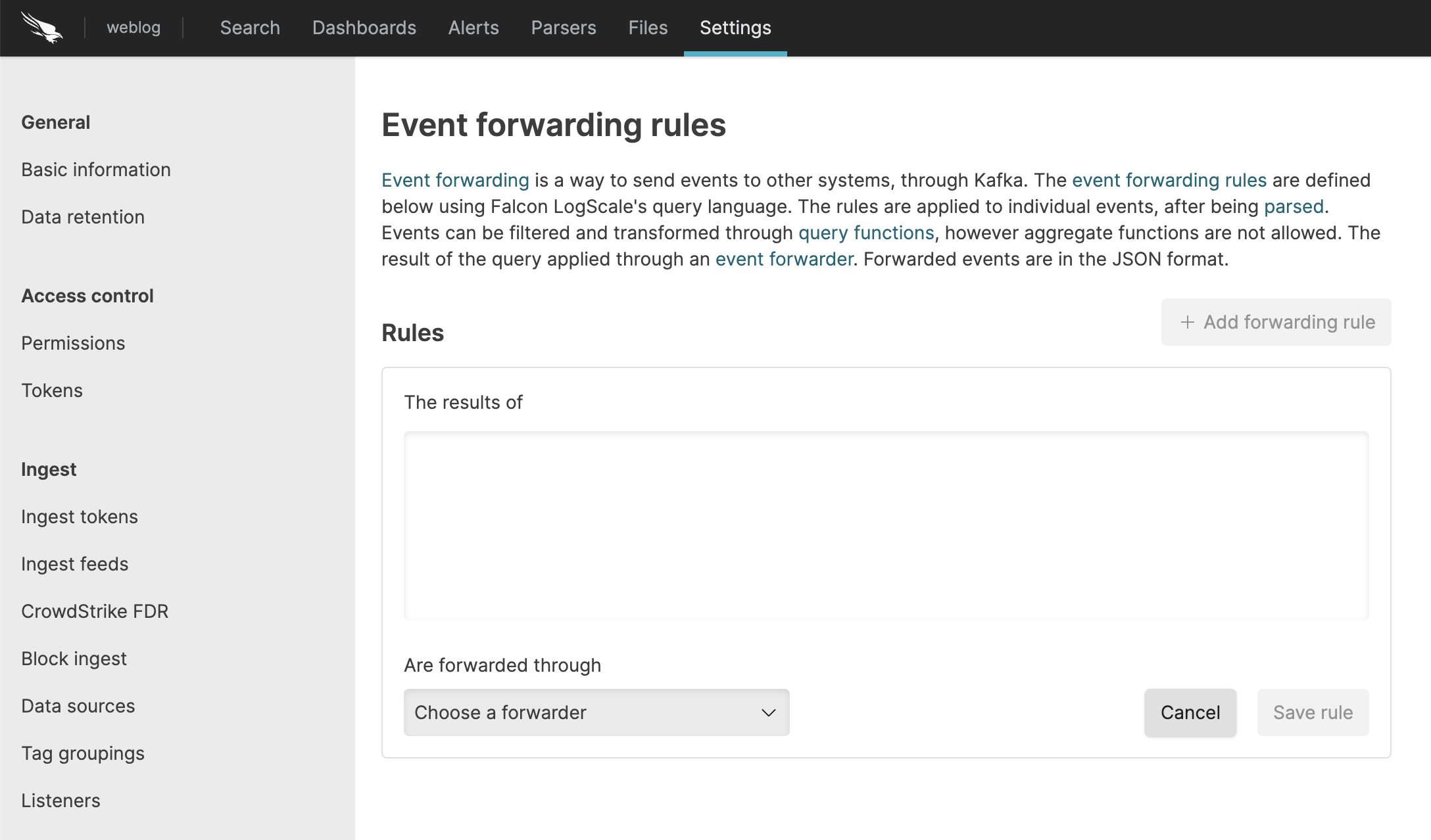
Figure 11. Event Forwarding Rules
To create an event forwarding rule, specify a rule and select an already configured event forwarder.
The rule is a normal LogScale query. It is applied to the parsed events, and can be used to filter away events that you do not wish to forward, or add fields to or remove fields from the events before forwarding them. Any manipulation done to the events only apply to the forwarded events, whereas the events stored in LogScale will be the events that came out of the parser.
Click .
How Rules Work
Rules are standard LogScale queries applied to parsed events. They can be used to:
Filter events - only forward events that match specific criteria
Add fields - enrich the forwarded event with additional fields before sending
Remove fields - strip fields you don't want to send to the external system
Note
Transformations only affect forwarded events. Any field additions or removals made in a forwarding rule apply only to the forwarded copy of the event. The event stored in LogScale always reflects the original parsed output — it is never modified by forwarding rules.
Rules support transformation functions but not aggregate functions. See Query Functions for details on the different query types.
Filtering Out Parse Failures
A failure during parsing does not prevent an event from being forwarded.
Parse failures result in error fields being set (such as
@event_parsed = false), but the event will still be
forwarded unless explicitly filtered out by your rule.
If you do not want to forward events that failed to parse, add the
following filter to your rule: @event_parsed != false.
Note
LogScale will only log Event Forwarding failures when multiple
events fail, to avoid log spam. You can monitor forwarding failures
using the event-forwarding-errors metric.
Attention
Warnings due to invalid files in lookup functions
When lookup query functions such as match(),
ioc:lookup(), or cidr() are
used in Event Forwarding rules, the files referenced by those
functions might occasionally be missing or invalid. In these cases,
LogScale reports a warning and adds
@error fields to the forwarded events.
Warning
Events with tag grouping and auto sharding
Event Forwarding does not forward
events with
tag
grouping and auto sharding applied. Tag grouped fields are
forwarded with their actual value,
instead of their hashed value. The
#humioAutoShard tag is also not
forwarded. The rule can contain any transformation function, but no
aggregate functions. See Query Functions for information
on the different query types.