

Query Editor
The LogScale Query Editor is the primary interface for searching and analyzing data stored in LogScale repositories. It provides a robust and flexible environment for constructing complex queries using the CrowdStrike Query Language (CQL).
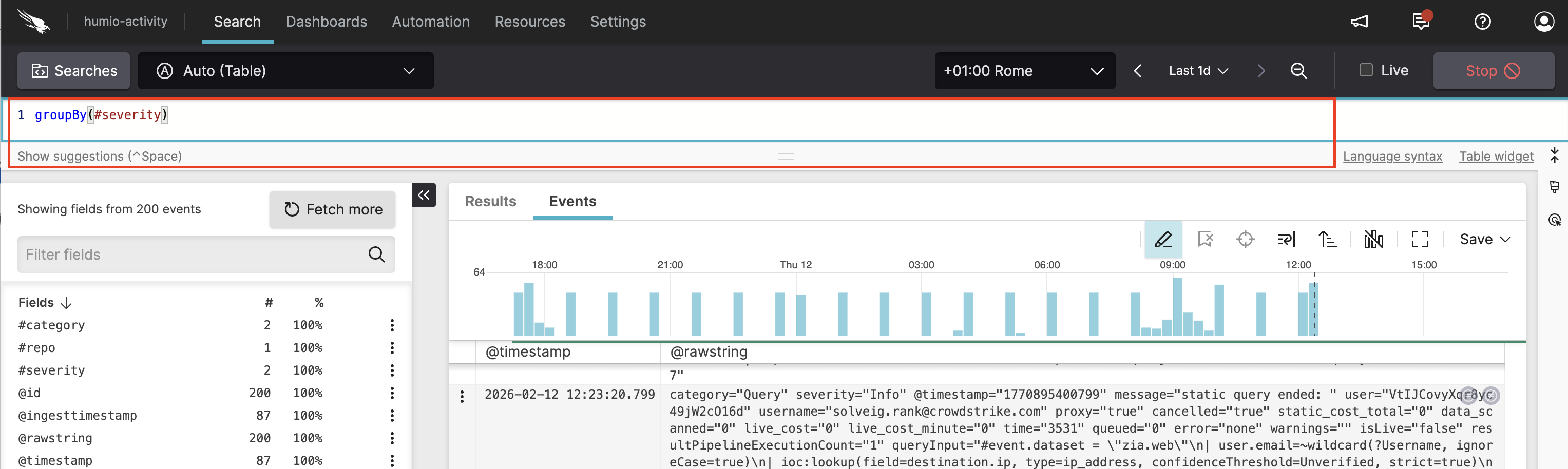 |
Figure 84. Search in the Query Editor
The Query Editor is fully editable,
allowing you to iteratively refine your queries. It supports the following
key features:
| Feature Category | Feature | Description |
|---|---|---|
| Search and Querying | Free-text searches | The most basic query to search for a particular string across all fields |
| Filtering by specific fields leveraging CQL | Query on specific event fields, both as text and numeric values, to narrow down results | |
| Regular expressions | Perform advanced pattern matching on field values, see Regular Expression Syntax | |
| Chained multiple expressions |
Combine multiple expressions using the pipe
(|) operator for complex,
multi-step searches
| |
| Query Editing and Formatting | Comments | Inline comments to improve readability and maintainability of queries |
|
Code folding |
Collapse or expand sections of complex, multi-line queries to
focus only on the query portion you're actively editing. The
feature applies to any function and it is particularly useful for
correlate() or
defineTable(), see
Figure 87, “Query Editor code folding”
| |
|
Auto-indentation | Queries are automatically formatted with indentation as you type | |
|
Bracket matching and error highlighting | Visual cues to identify non-printable characters, matching brackets, parentheses, and braces, reducing syntax errors | |
|
Query formatting |
Format a query's indentation and line breaks using a keyboard shortcut. The formatter normalizes indentation and inserts line breaks where lines become too long. For example: logscale May format as: logscale When you select a range of text, formatting applies only to that selection. | |
| Query Assistance |
Auto-completion |
Auto-completion provides suggestions to help discover available fields, functions, and other query elements as you type. |
| Descriptions of query items while typing | Displays descriptions of fields, functions, and other elements to understand the query components, see Figure 85, “Items described in the Query Editor” | |
| Editor Usability | Single or multi-line queries | Format queries across multiple lines to enhance readability. To create a new line, use Shift+Enter (see Keyboard Shortcuts for more shortcuts) |
| Copy & Paste | Support mouse-based and keyboard shortcuts for copying and pasting | |
| Keyboard shortcuts | Easily navigate and perform actions, see Keyboard Shortcuts for the full list of available LogScale shortcuts | |
| CQL Support | Query functions and aggregations support | Rich set of functions and aggregations to transform, group, and analyze search results, see Query Functions |
| Code Assistance | Code snippets |
Pre-built code snippets for common query patterns and functions,
such as correlate(), available through
tabbing: this reduces manual syntax typing and the effort required
to construct complex queries, see
Figure 86, “Query Editor features”
|
| Visual feedback on errors | Displays red lines under any syntax errors in the query, to identify and fix issues easily |
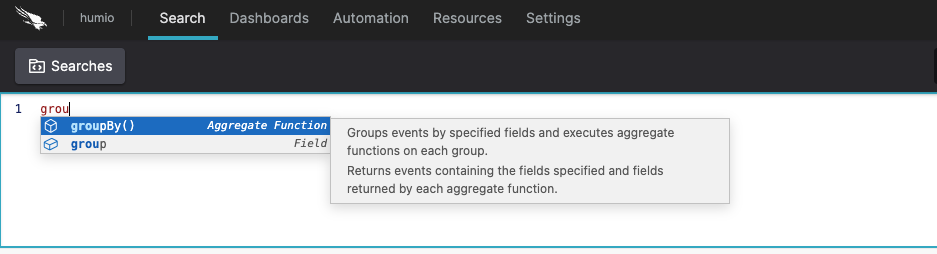 |
Figure 85. Items described in the Query Editor
This short video shows auto-completion, auto-indentation and code snippet features:
Figure 86. Query Editor features
A video showcasing the code folding feature:
Figure 87. Query Editor code folding
For guidelines on constructing CQL queries including basic principles, query management, and best practices, see Write Queries.
For more advanced information about the CrowdStrike Query Language (CQL), see Query Language Syntax.