

Look Up Events
The Search page supports event interactions
in Table widgets when results contain an
@id value. Use this option to look for specific
events through their IDs.
To look up an event:
Locate a row in the search results
Select the three-dot menu in that row →
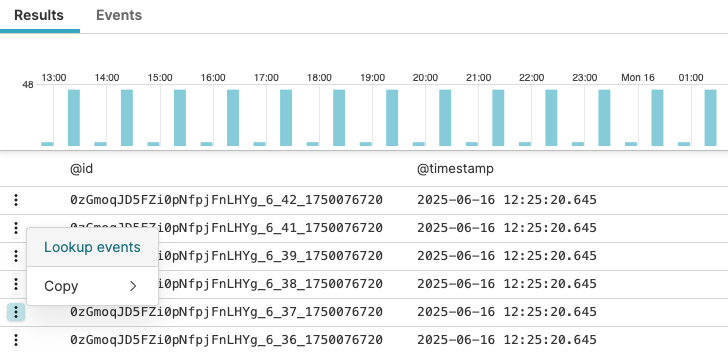
Figure 98. Lookup Events
The
Searchpage opens. It displays a query in this format:logscale Syntaxin(@id, values=[idnumber])The query looks for details on that specific event. The query returns the @rawstring field in the results.
Timestamp highlight
When looking up events, the Table widget
supports timestamp visualization. When the table results include
@timestamp fields, hovering over a table row
highlights the corresponding time period in the histogram with a blue
bar: