

Manage Parsers
Security Requirements and Controls
Change parserspermission
The Parsers Interface displays all repository parsers in a table format. This table includes both built-in parsers and any parsers you create.
You can manage multiple parsers without opening them one by one. Select one or more parsers with the checkboxes → click to either delete the parsers or export them as .zip file:
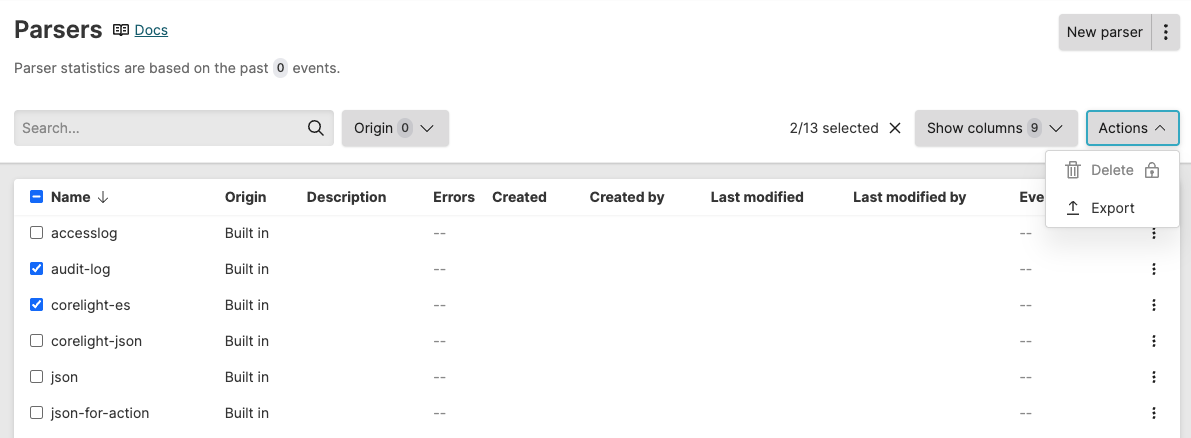 |
Figure 53. Repository parsers
You can further manage a specific parser at row table level by clicking the ⋮ menu icon next to a parser:
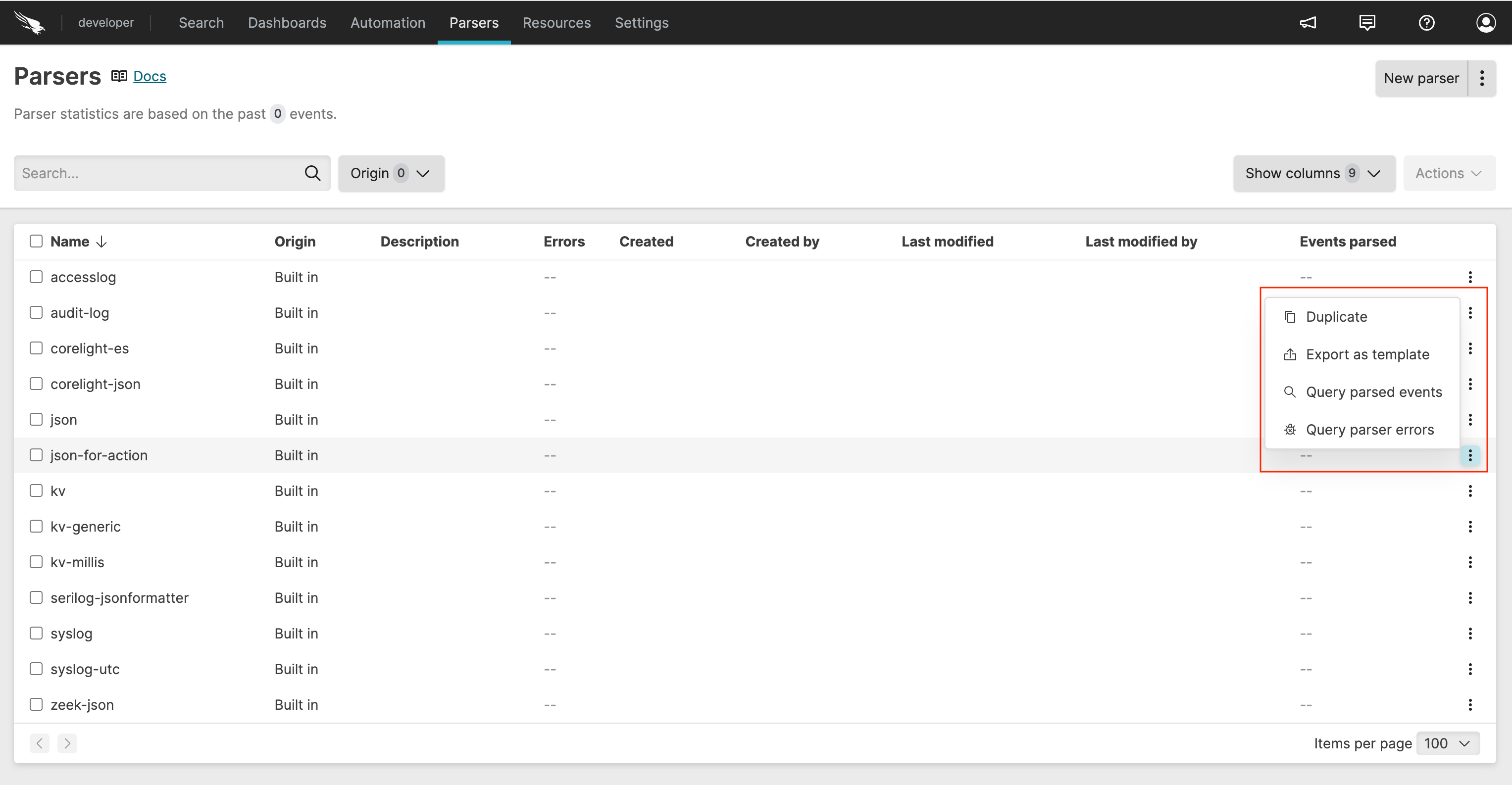 |
Figure 54. Manage a single parser
Available options are:
creates a copy of the parser
exports the parser in .yaml format
opens the query search to quickly view all events parsed by a specific parser, for example
#type=accesslogopens the query search to view parsing errors by a specific parser for troubleshooting, for example
#type=accesslog | @error=*