

Action Type: Lookup File
Security Requirements and Controls
Create ActionspermissionCreate FilespermissionUpdate Filespermission
The Lookup File action creates a CSV
lookup file from the events and uploads the file to LogScale in the
repository/view of the action. The CSV lookup file can then be used in the
match() function, among others.
It is recommended to use this action with a search that only returns the
fields that are needed as columns in the CSV file. This can, for instance,
be achieved by using the select() query function.
For more information about lookup files in LogScale, see Lookup Files.
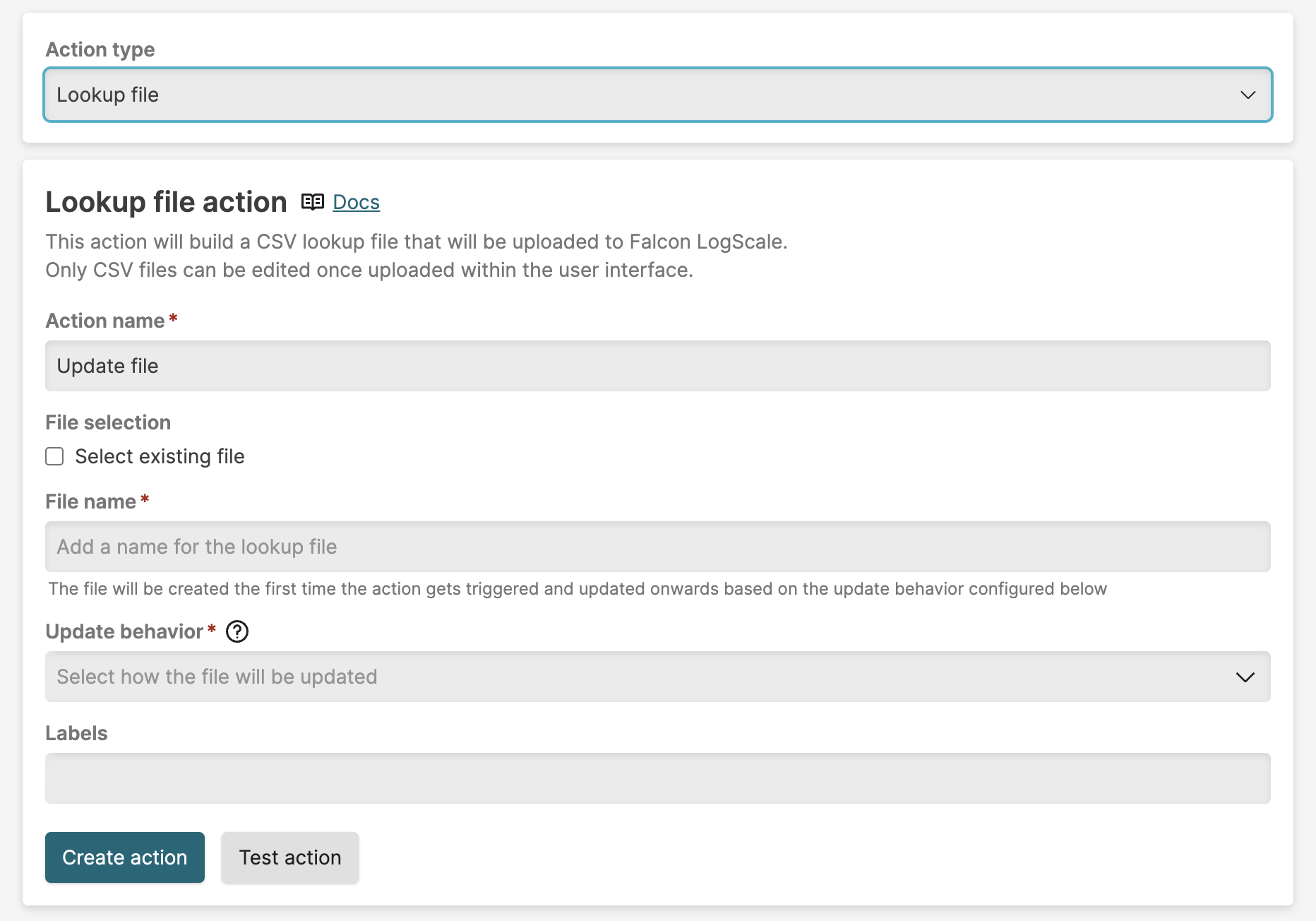 |
Figure 300. Configuring Lookup File Action
| Parameter | Description |
|---|---|
| Action Name | The name provided for the action. |
| Select existing file | If you want to use an existing lookup file for this action, choose Select existing file. |
| File Name | When creating a new lookup file, the file name for the CSV file. Type the name of the new lookup file to create. The file name must include the .csv extension. |
| File | The file name for the CSV file, if you choose Select existing file. Select an existing file from the drop-down list. |
| Update behavior |
Choose between the following options:
Tip Use Append results or Update changed when possible. These behaviors allow the query to run over a smaller search interval rather than the full interval required by Overwrite contents. |
| Key column selection |
If Update behavior is
Update changed, you must select one or more columns
to use as key values on which to match. This functionality works in
the same way as the match(), in that if
multiple key columns are selected, then all of them must match for
the row to be updated. If no rows match the key values, then the
content from the query results is appended to the lookup file.
Deselect Match case sensitive if you do not
require that the match is case sensitive when matching.
|
Go to and select to find the lookup file.
Whenever the action triggers, the file is either appended, updated, or overwritten, depending on your configuration. If your action is configured to overwrite, then the action must receive all events necessary to populate the file, and not just the changes since the action was last triggered. If your action is configured to append, then the action receives all changes since the action was last triggered.
Note that the default file size allowed for lookup files is 200 MB. If the action will update or append the file in such a way that the file size is exceeded then it will fail. You can update the file manually to reduce the file size, create a new lookup file for the action to write to, or change the query to reduce the data populated to the file.
Removing obsolete rows
When using Append results or Update changed, rows that become obsolete are never automatically removed from the lookup file. To remove obsolete rows, set up a separate scheduled search that periodically replaces the file with a full, current snapshot:
Create a new scheduled search configured to run infrequently, for example once a day or once a week.
Configure the query to run over the full search interval so it returns all current data.
Create a new Lookup File action configured with Overwrite contents, pointing to the same lookup file.
Add the new action to the scheduled search.
Each time the scheduled search runs, it replaces the entire file with a complete snapshot of the data, removing any rows that are no longer in the results.